Skip to content

Product guide

Every screen in the product. All of them.

28 real captures of CareIT AL Online, grouped by the work they support. No mockups, no renders — each one is labelled with the route it lives at. Watch the 11:08 narrated walkthrough, read it here, or take the PDF.

The same guide, three ways

Watch it, read it, or hand it to your clinical lead.

Browse it on this page

All 28 screens in 13 groups, each with what the screen does and the behaviour that ships behind it. Jump straight to the part your team cares about using the links below.

Start at the beginning

The user guide, as a PDF

38 pages — the operator's manual that ships with the product. Structured by role, with a chapter on the rules the system enforces and appendices covering permissions, condition-flag tiers, IDDSI scales and a glossary.

Download the PDF (38pp)

About these screenshots. They are captured from a running instance loaded with realistic demo data — a partially completed post-fall protocol, an active hospice enrolment, therapy sessions, stock with an expiring lot, an approved two-week menu cycle — so you see a working facility rather than a set of empty states. The residents are invented. No real person's record appears anywhere on this site.

Group 1 of 13

Getting in

Every account carries two-factor authentication. There is no shared facility login, because a shared login makes an audit trail worthless.

/login
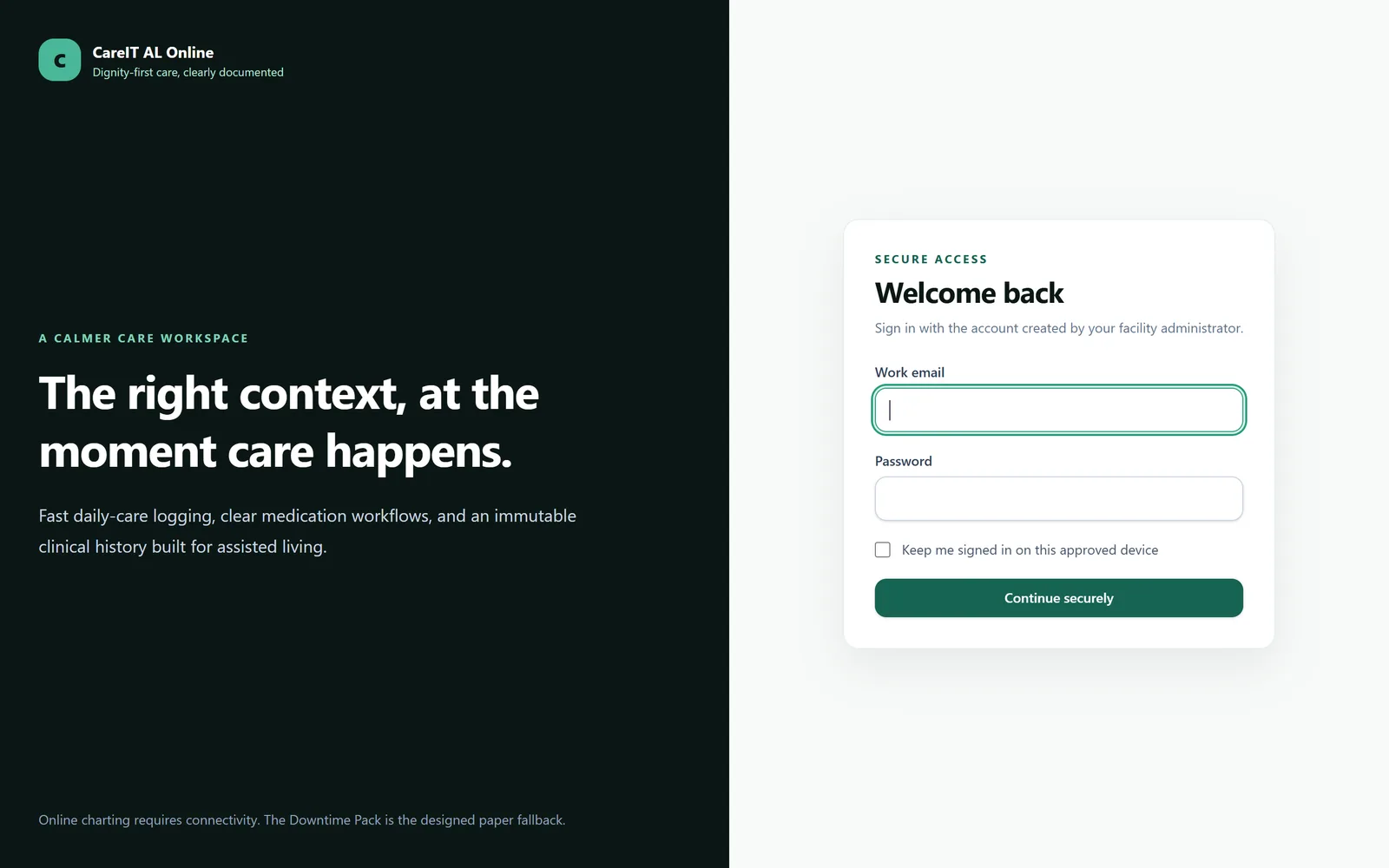
Sign in — The way into the facility. Accounts are individual — one person, one login, always attributable.

Sign in

The way into the facility. Accounts are individual — one person, one login, always attributable.

  • Individual accounts only; no shared facility password
  • Forced password reset on first sign-in
  • Sessions are scoped to the facility the user belongs to
/two-factor-challenge
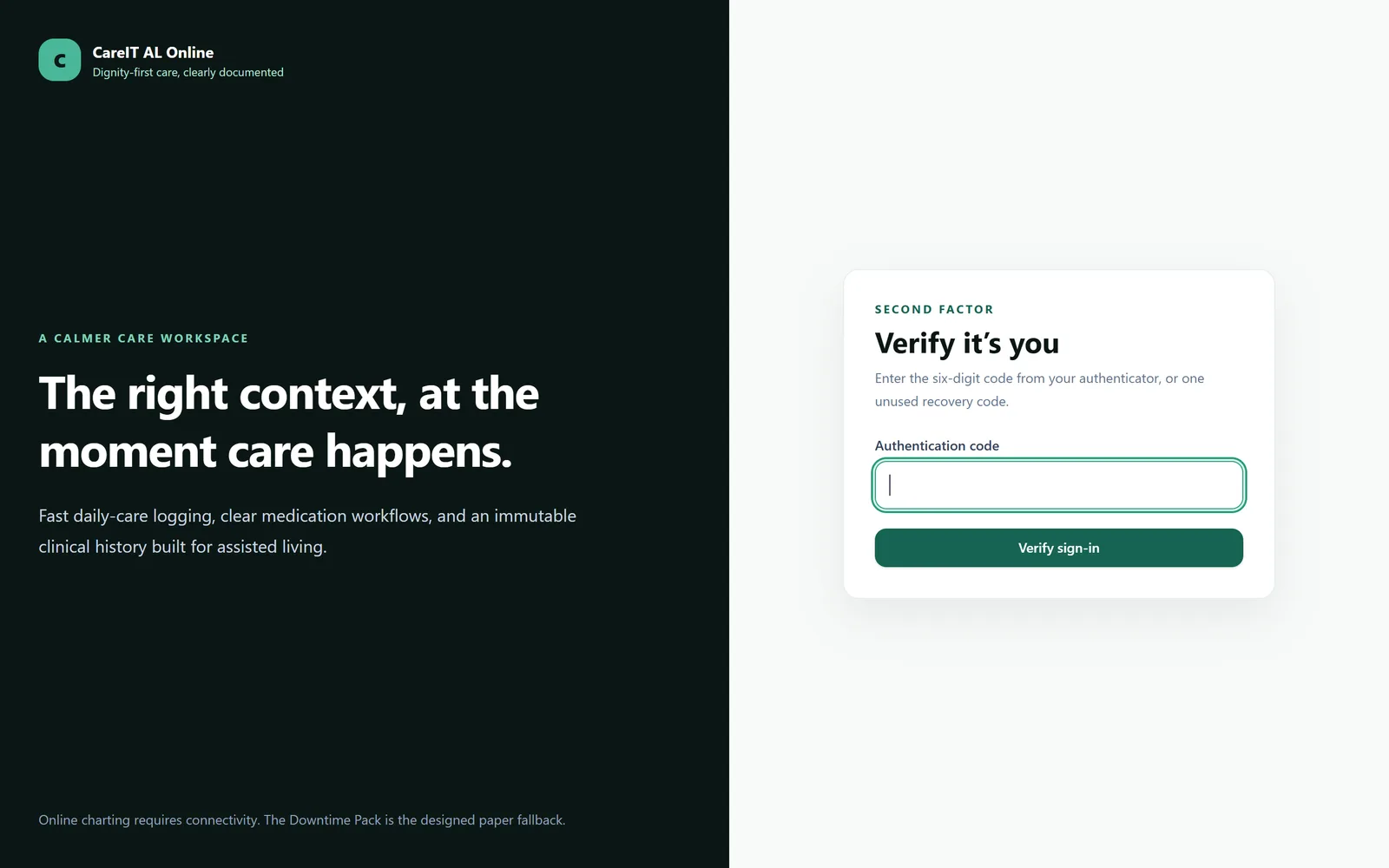
Two-factor authentication — A TOTP code from an authenticator app, required on every account — not an upsell, not an optional hardening step.

Two-factor authentication

A TOTP code from an authenticator app, required on every account — not an upsell, not an optional hardening step.

  • Standard TOTP: Google Authenticator, Authy, 1Password
  • Recovery codes issued at enrolment
  • Enforced for every role including caregivers

Group 2 of 13

The facility today

One screen that answers "what needs me right now" before anyone opens a resident chart.

/dashboard
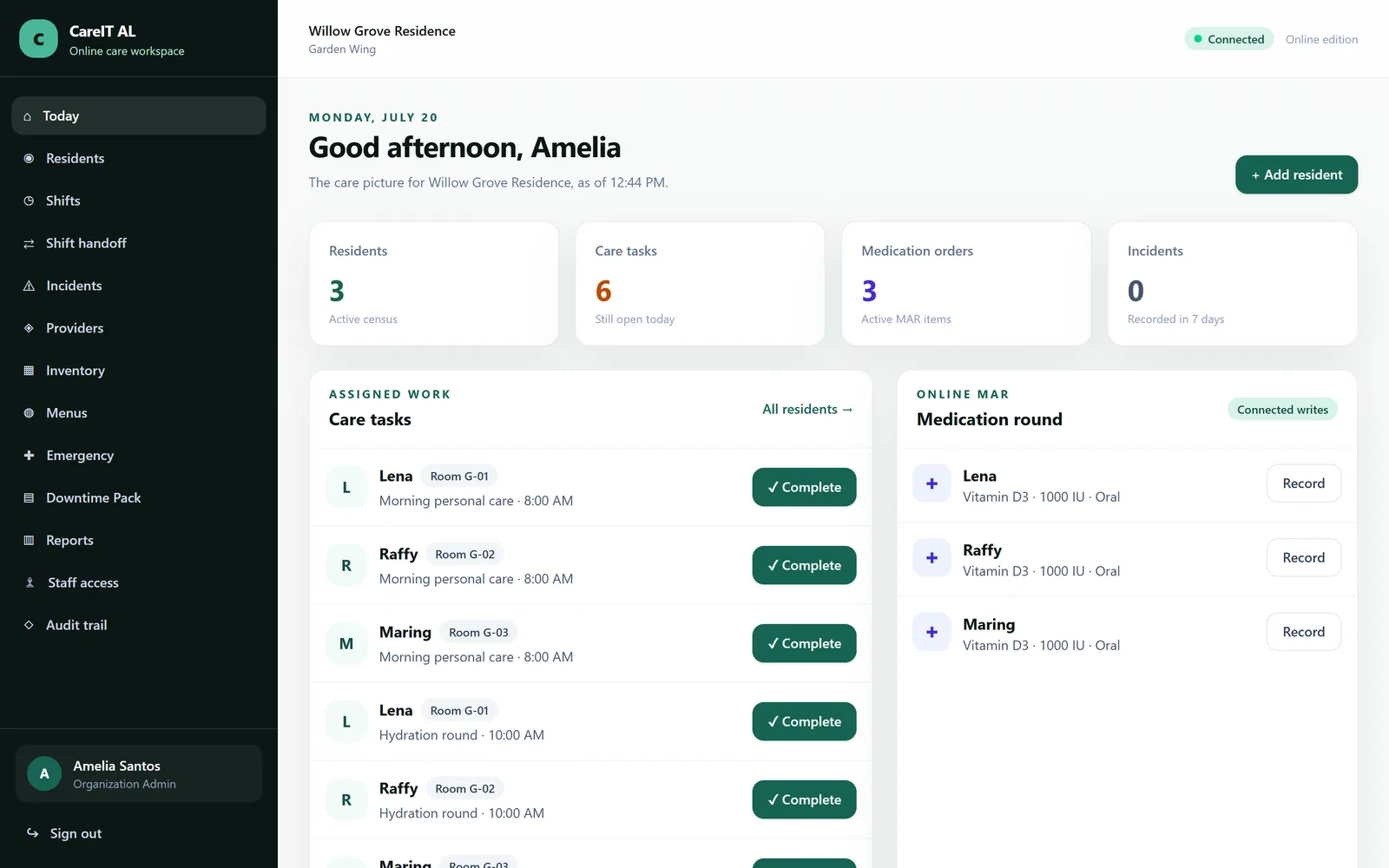
Dashboard — The shift opens here: what is due, what is overdue, what changed, and who is on.

Dashboard

The shift opens here: what is due, what is overdue, what changed, and who is on.

  • Tasks due and overdue across the whole facility
  • Medication passes still open in the current window
  • Recent incidents and residents whose status changed
  • A connection indicator, because the product never pretends to work offline

Group 3 of 13

Residents

The resident record is the spine of the system. Everything else — medications, incidents, diets, therapy — hangs off it and writes back to one timeline.

/residents
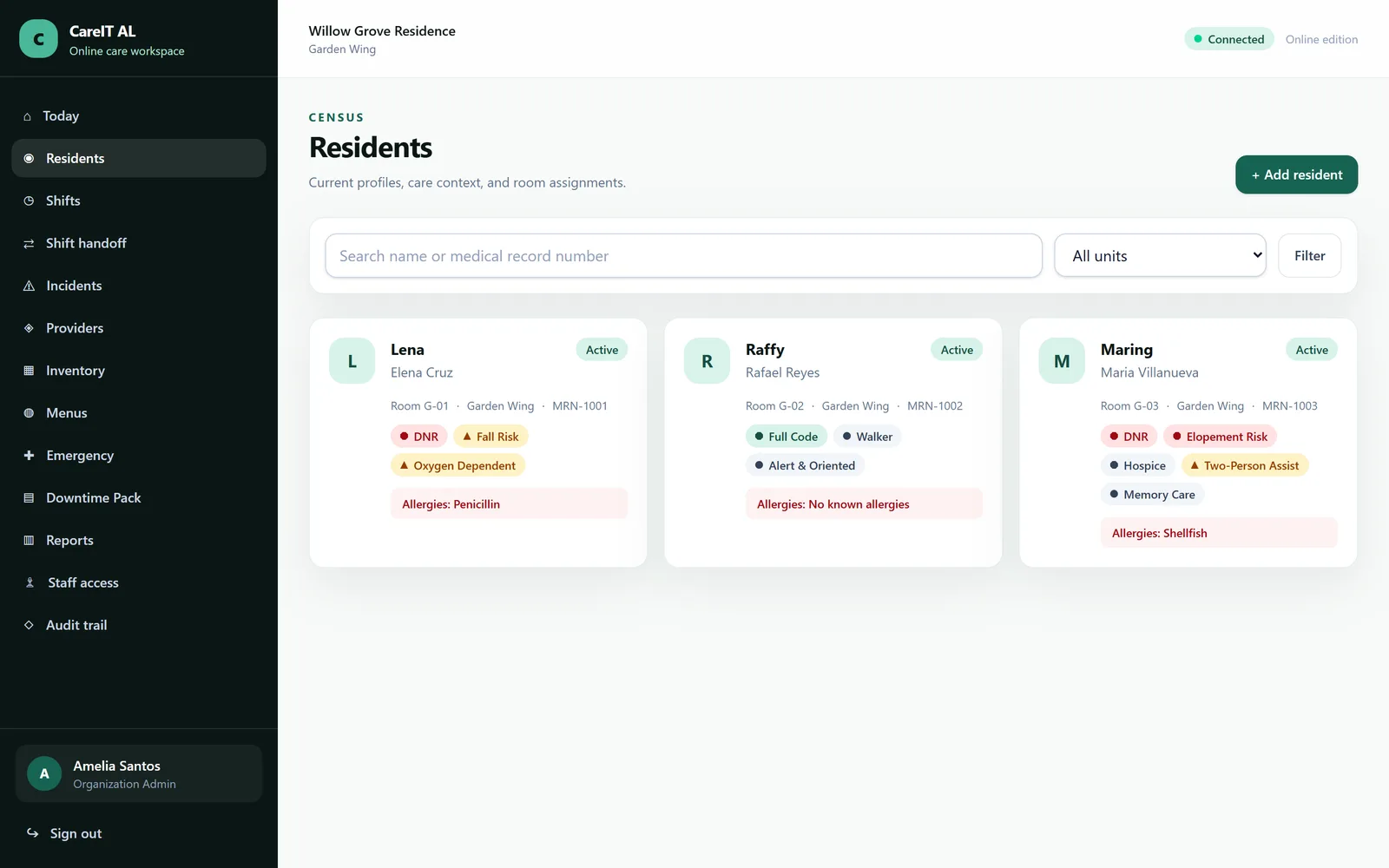
Resident roster — Everyone in the community, with the flags that change how you approach them visible before you click.

Resident roster

Everyone in the community, with the flags that change how you approach them visible before you click.

  • Condition flags and code status shown on the roster row
  • Filter by unit, status and flag
  • Opens straight into the chart a caregiver actually needs
/residents/{resident}
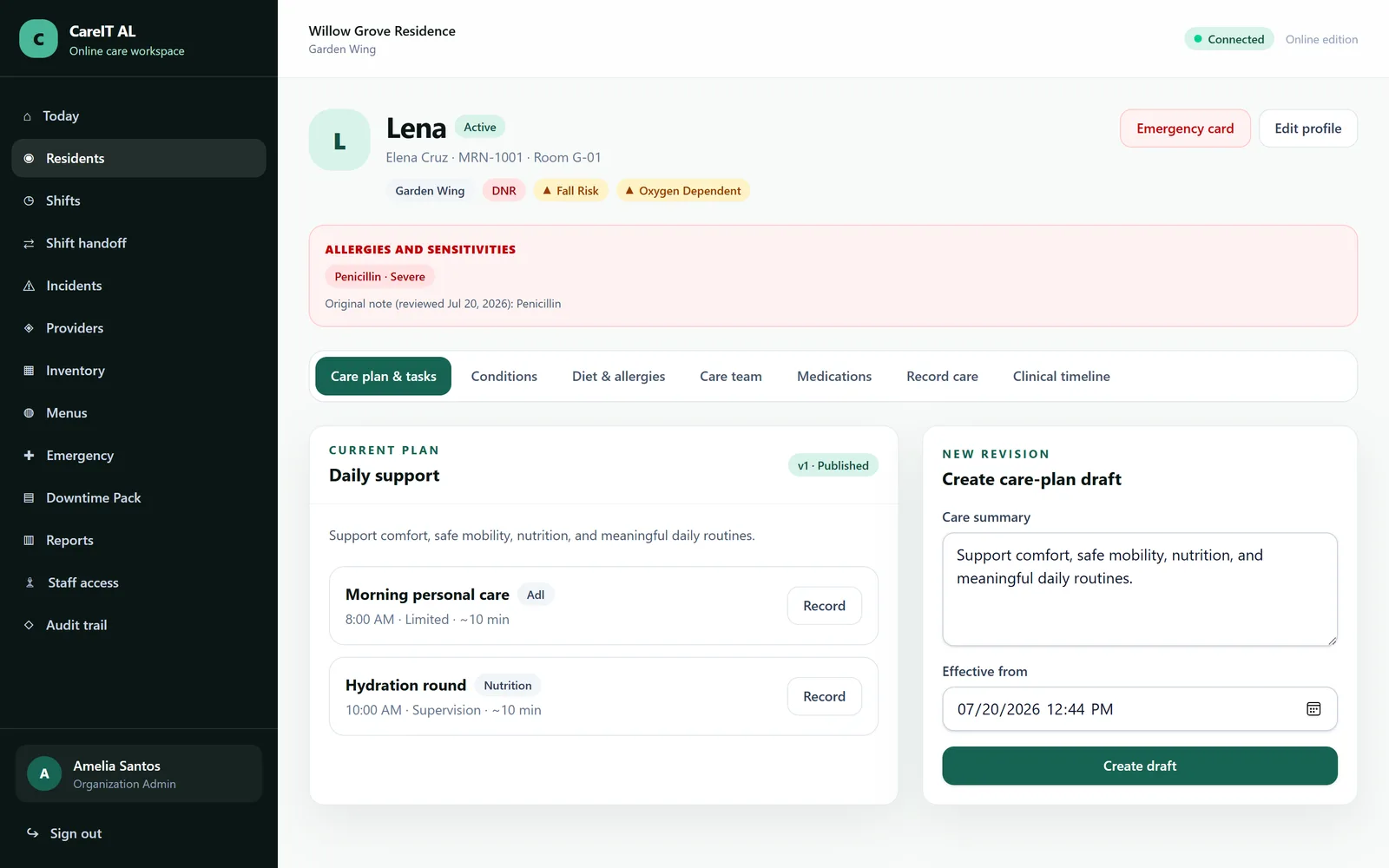
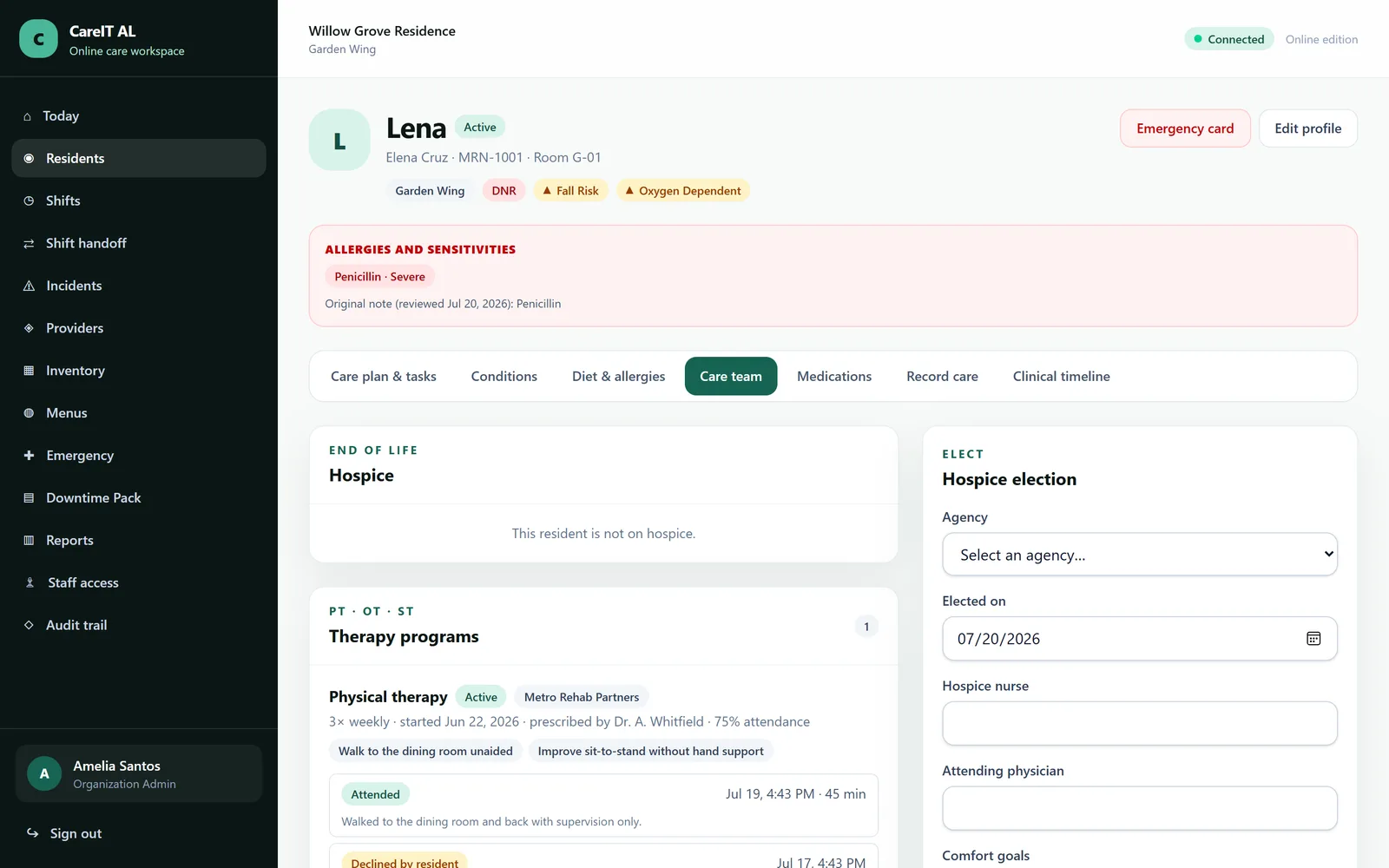
Resident profile — The chart. Identity, room, contacts, care team and every module tab for this person in one place.

Resident profile

The chart. Identity, room, contacts, care team and every module tab for this person in one place.

  • Photo, room, admission date and responsible parties
  • Tabs for care, medications, diet, incidents, hospice, therapy
  • No free-text field is ever silently interpreted by the system
/residents/{resident}/condition-tags
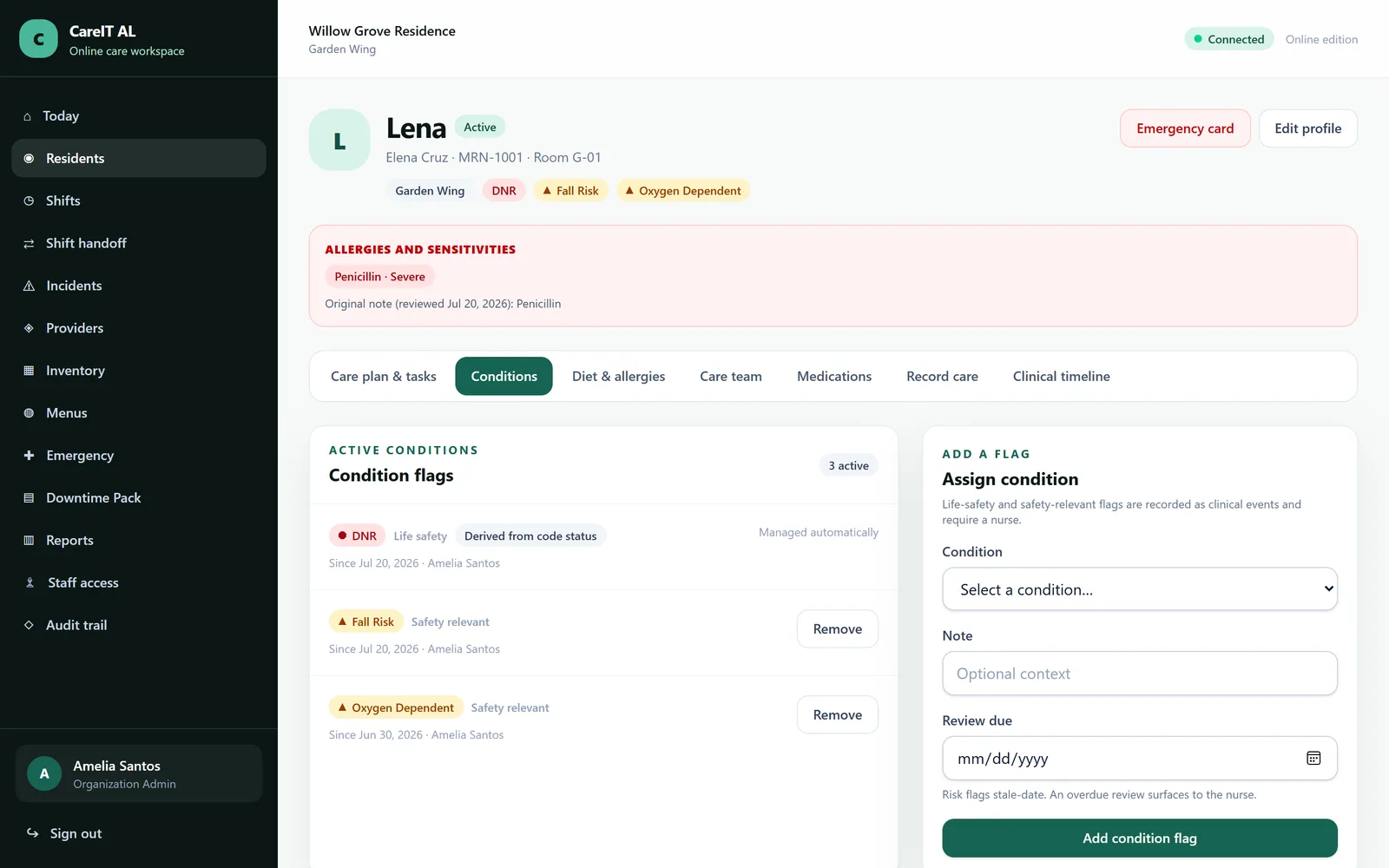
Condition flags — Structured flags — falls risk, elopement risk, dementia, diabetes — assigned with a tier that decides how loudly they show.

Condition flags

Structured flags — falls risk, elopement risk, dementia, diabetes — assigned with a tier that decides how loudly they show.

  • Tier decides prominence; a per-tag semantic decides colour
  • Red is reserved for genuine urgency, so red still means something
  • Assignment and removal are both recorded, with who and when
/residents/{resident}
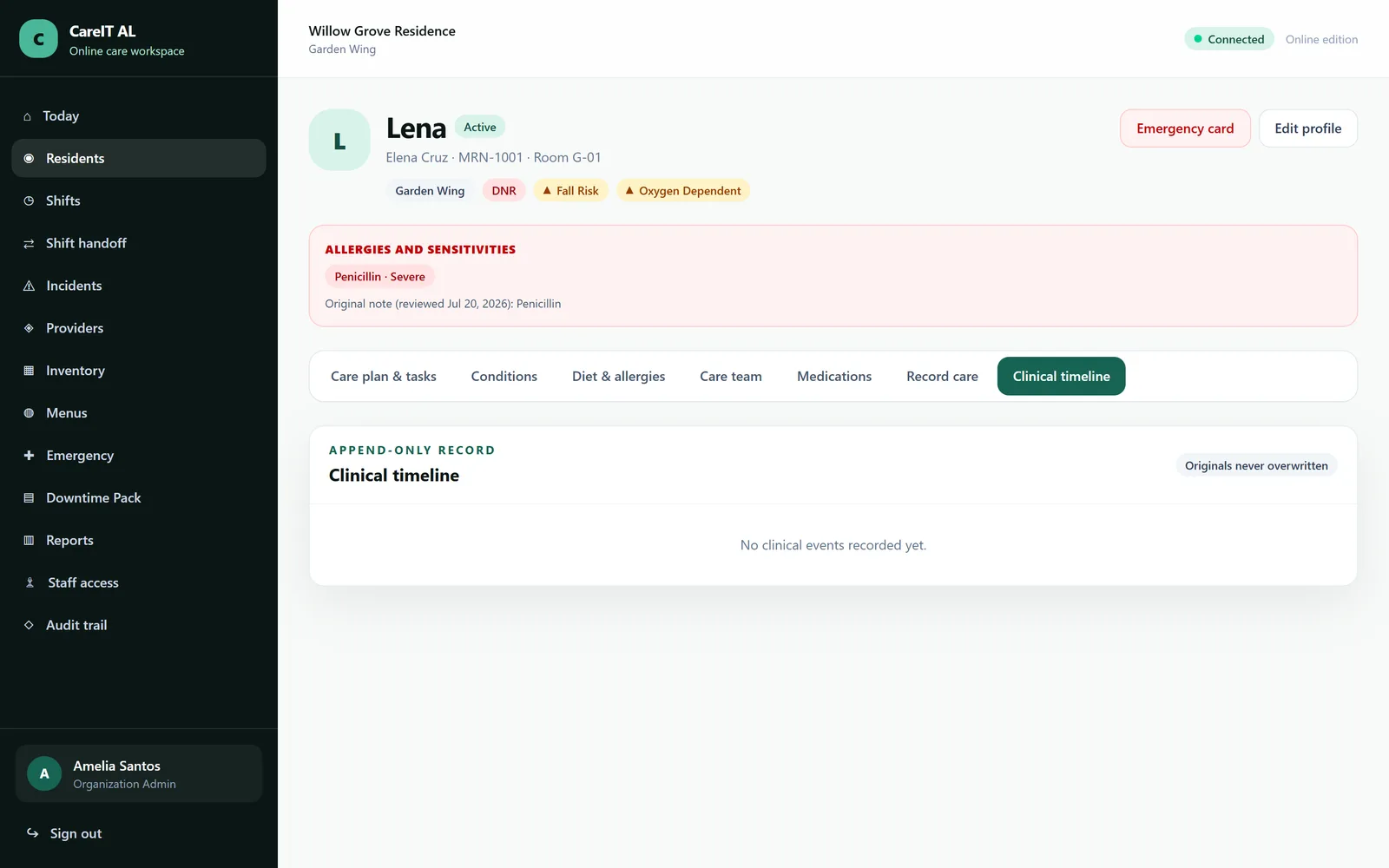
Clinical timeline — Every entry about this resident, in order, from every module — and nothing in it can be quietly rewritten.

Clinical timeline

Every entry about this resident, in order, from every module — and nothing in it can be quietly rewritten.

  • Append-only: originals are never overwritten
  • Corrections attach as amendments and show both versions
  • Database triggers block UPDATE and DELETE, not just the UI
/residents/{resident}
Care team — Who is responsible for this resident — internally and outside the building.

Care team

Who is responsible for this resident — internally and outside the building.

  • Assigned staff by role and shift
  • Family and responsible parties with contact order
  • External providers and agencies linked to their own records

Group 4 of 13

In an emergency

The screens designed to be used while something is going wrong — big targets, no scrolling for the answer, printable when the network is not there.

/residents/{resident}/emergency
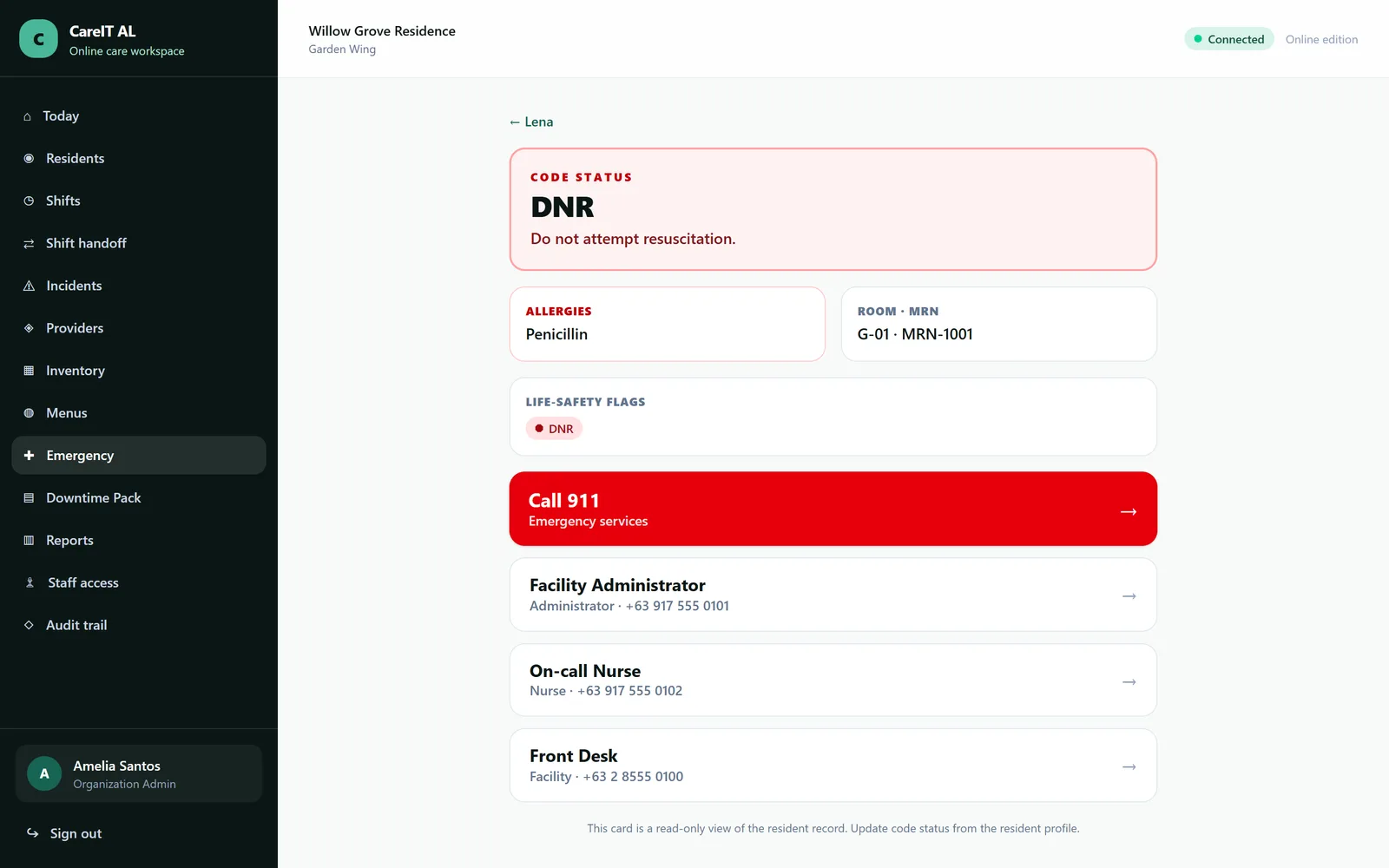
Emergency card — One page a paramedic can read: code status, allergies, conditions, medications, contacts.

Emergency card

One page a paramedic can read: code status, allergies, conditions, medications, contacts.

  • Structured code status — never free text
  • Allergies and current medications on the same page
  • Prints to paper for the ride to hospital
/emergency
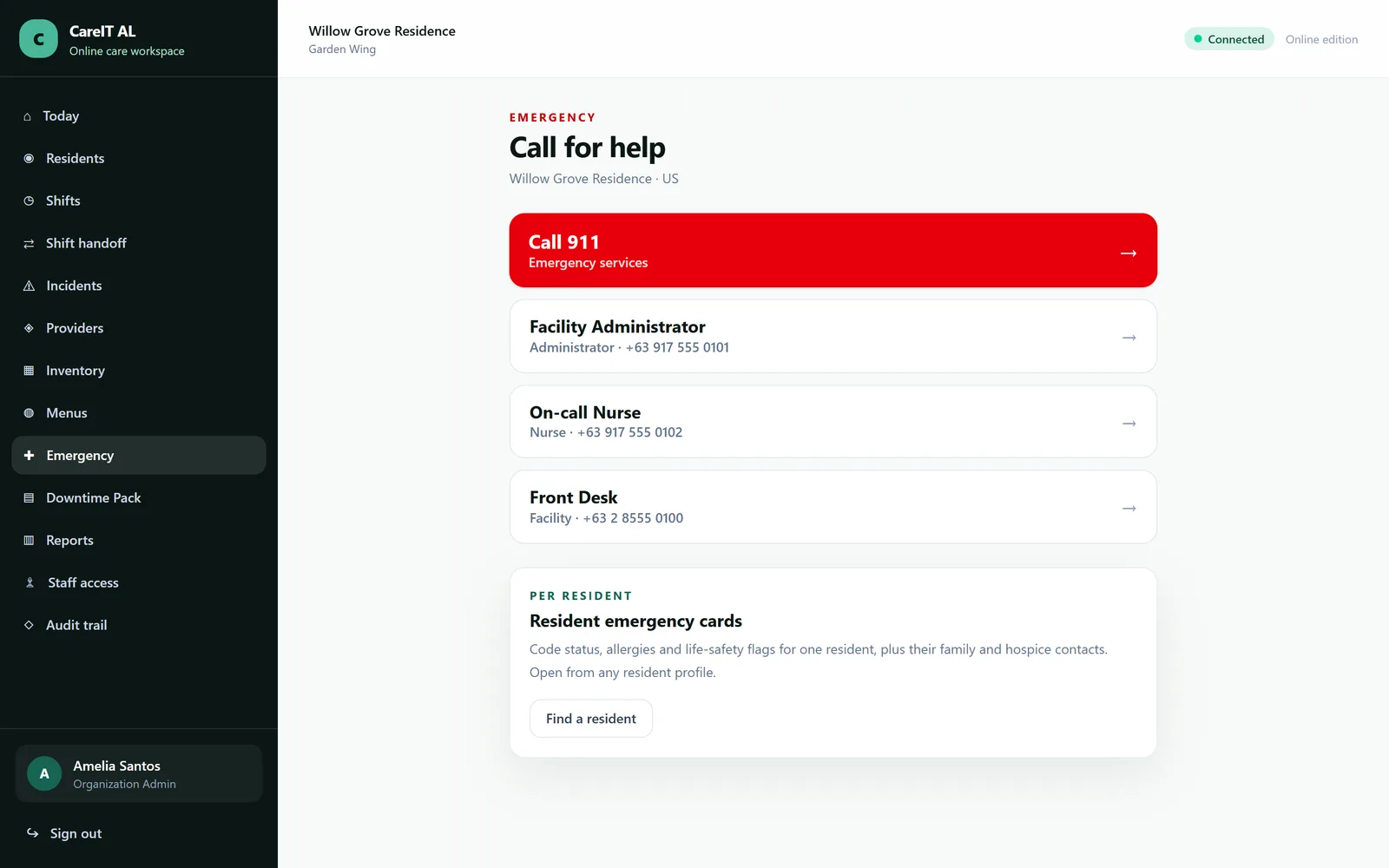
Emergency centre — The whole facility at a glance during an evacuation, lockdown or drill.

Emergency centre

The whole facility at a glance during an evacuation, lockdown or drill.

  • Every resident with code status and mobility needs
  • Emergency service number resolved from the facility country
  • Built to be usable one-handed, on a phone, in a hallway

Group 5 of 13

Daily care

The part of the product a caregiver touches thirty times a shift. If this is slow, nothing else matters.

/residents/{resident}/care-plans
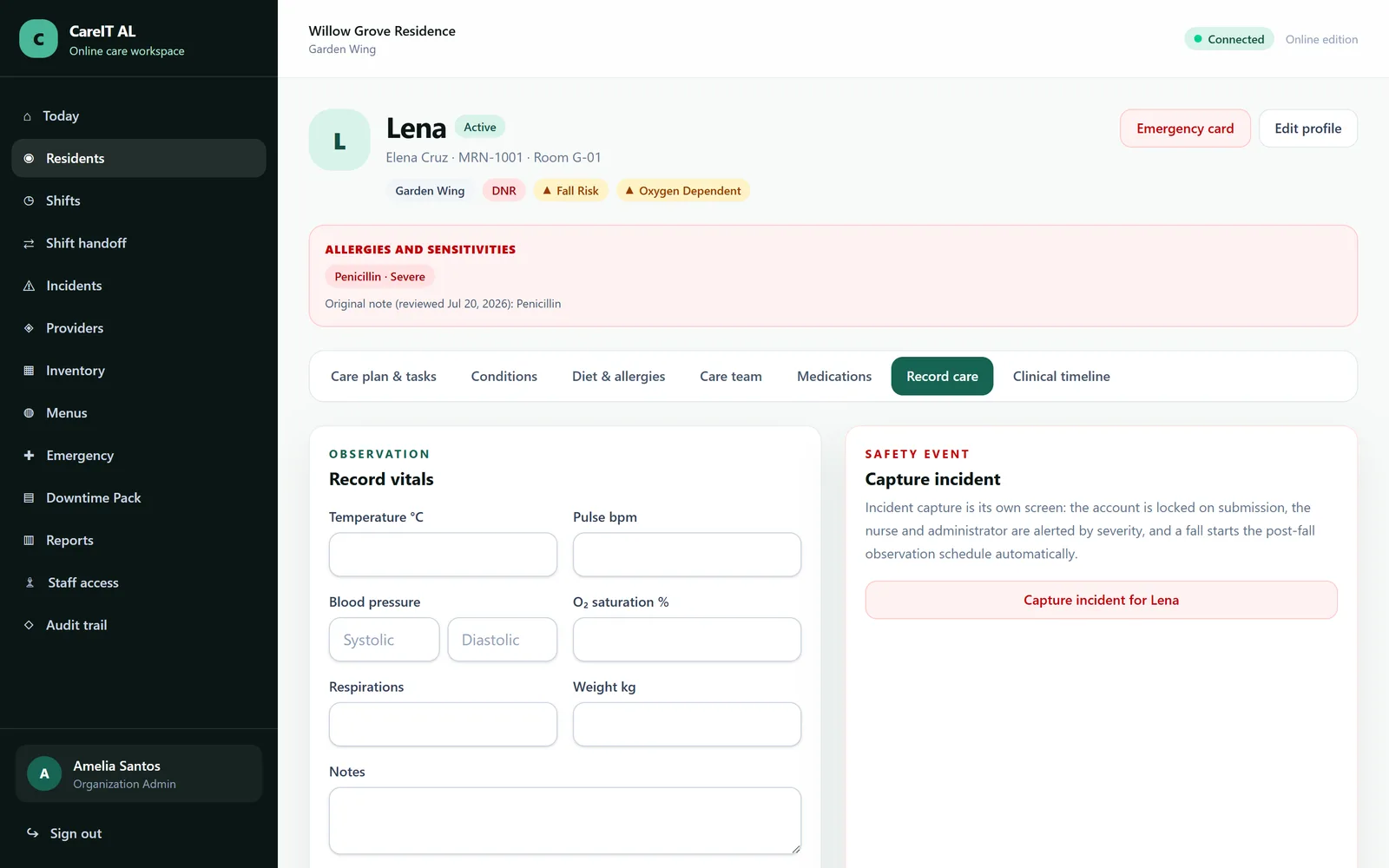
Record care — Logging what was actually done — assistance given, refusals, vitals, observations.

Record care

Logging what was actually done — assistance given, refusals, vitals, observations.

  • Tasks come from the published care plan, not a blank page
  • Refusals are first-class, with a reason, not a missing tick
  • Every entry is attributed and timestamped in the facility timezone
/shifts
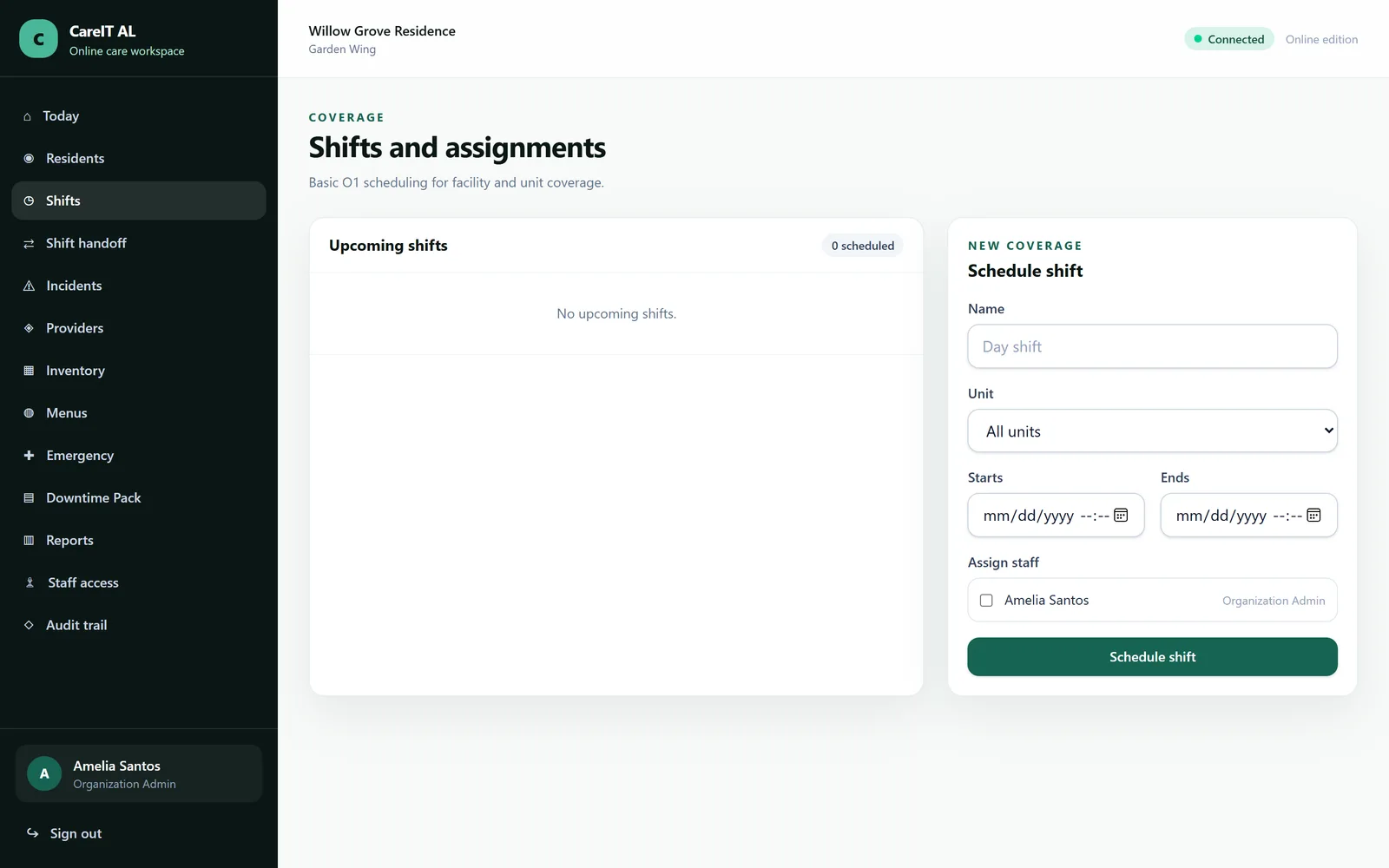
Shifts and assignments — Who is on, when, and which residents each person is responsible for.

Shifts and assignments

Who is on, when, and which residents each person is responsible for.

  • Shift windows follow the facility timezone
  • Assignments drive what each caregiver sees on their dashboard
  • Coverage gaps are visible before the shift starts, not after
/handoff
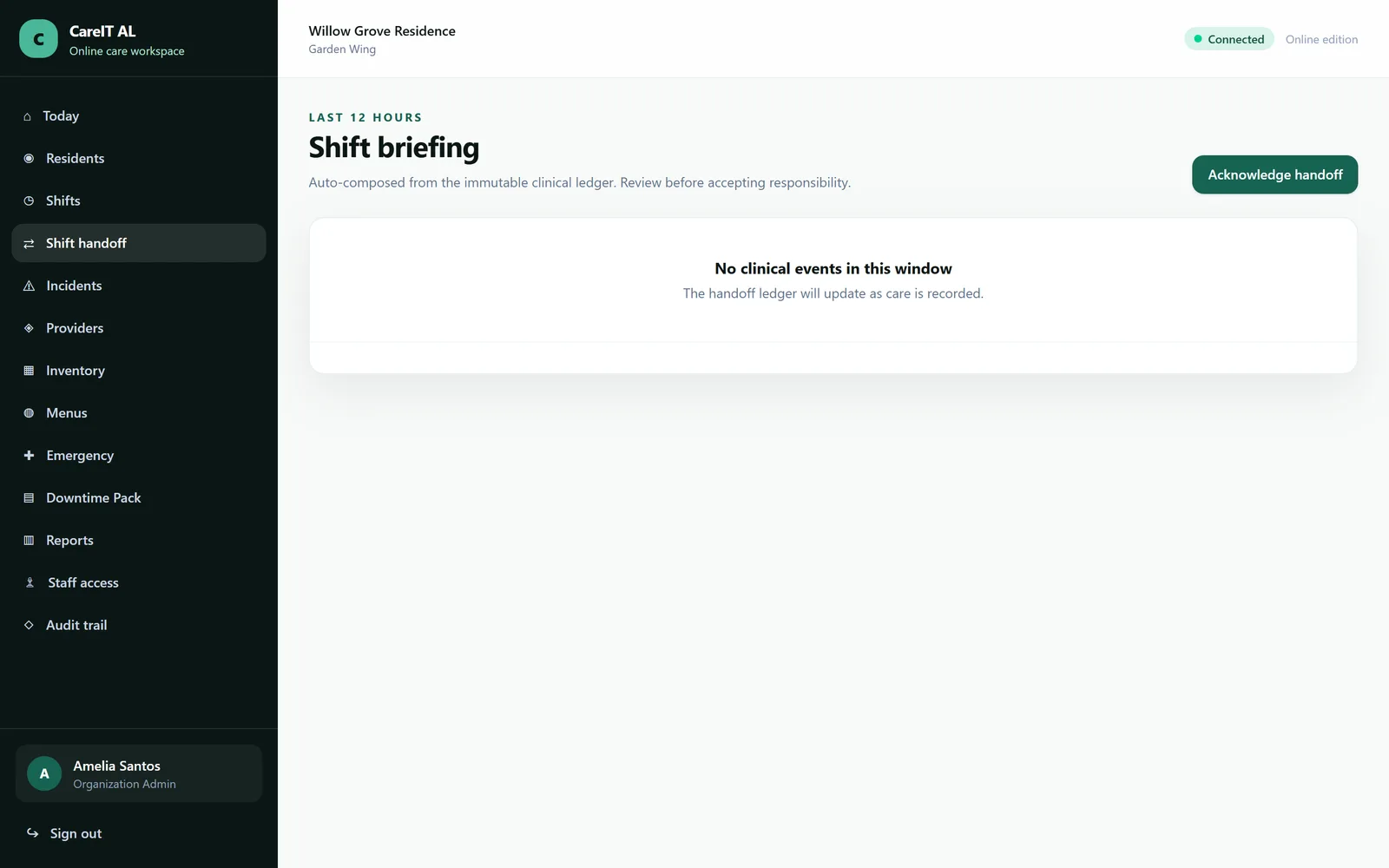
Shift handoff — The end-of-shift summary, acknowledged by the person taking over.

Shift handoff

The end-of-shift summary, acknowledged by the person taking over.

  • Assembled from the shift, not retyped from memory
  • Incoming staff acknowledge — and that acknowledgement is recorded
  • Open tasks and new incidents carried across explicitly

Group 6 of 13

Medications

An eMAR with five-rights confirmation enforced in the application, and the allergy cross-check running underneath it.

/residents/{resident}/medication-orders
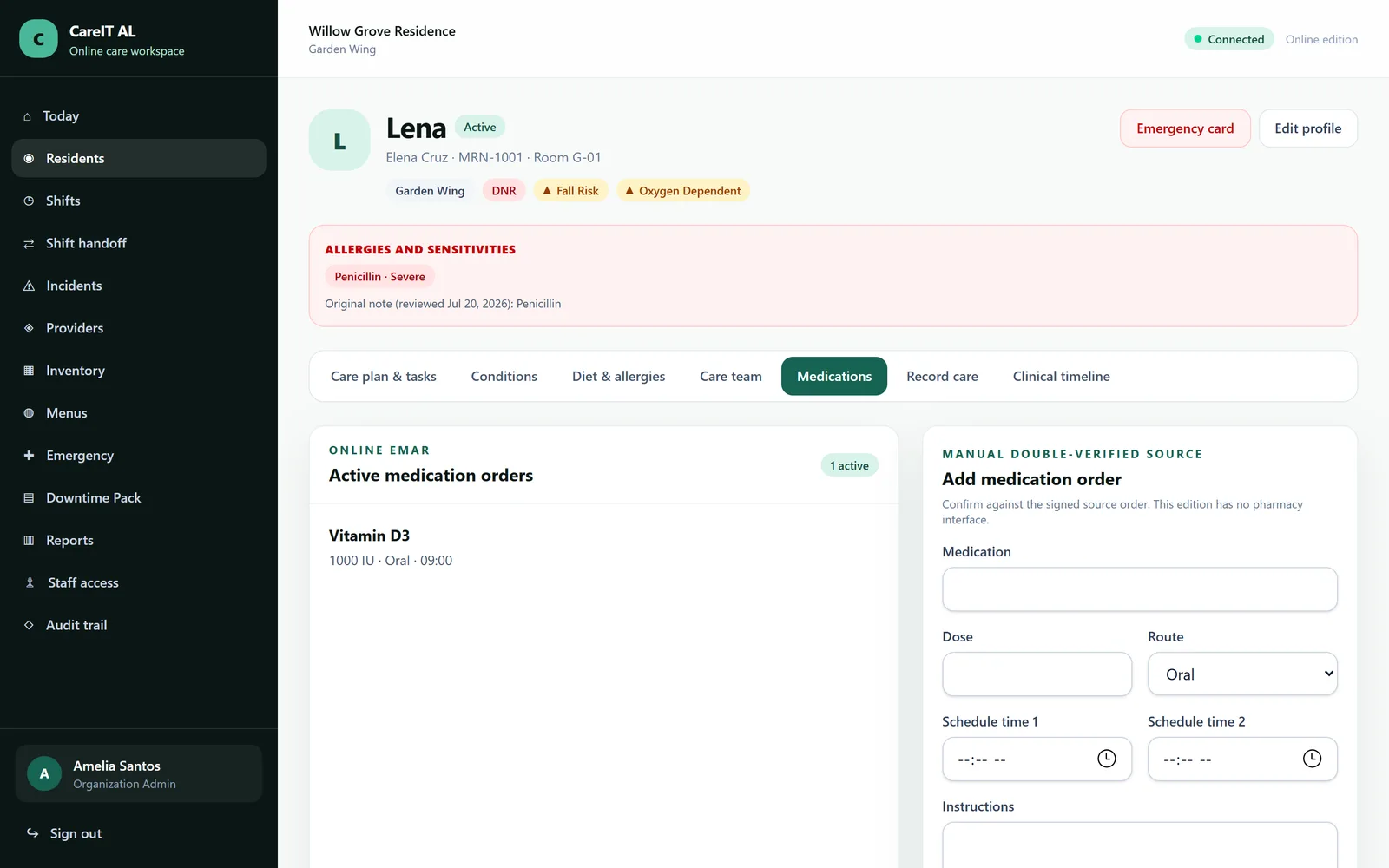
eMAR and medication orders — Active orders, the pass windows they generate, and the administration record itself.

eMAR and medication orders

Active orders, the pass windows they generate, and the administration record itself.

  • Five rights confirmed at administration — enforced, not a reminder
  • Allergy cross-check on drug stems (sulfa → sulfamethoxazole)
  • Refusals and holds recorded as outcomes, never as blanks
  • Administrations are append-only; corrections are amendments

Group 7 of 13

Incidents

The module a state surveyor reads first. Two layers: what you saw, and what the facility concluded — kept apart on purpose.

/incidents
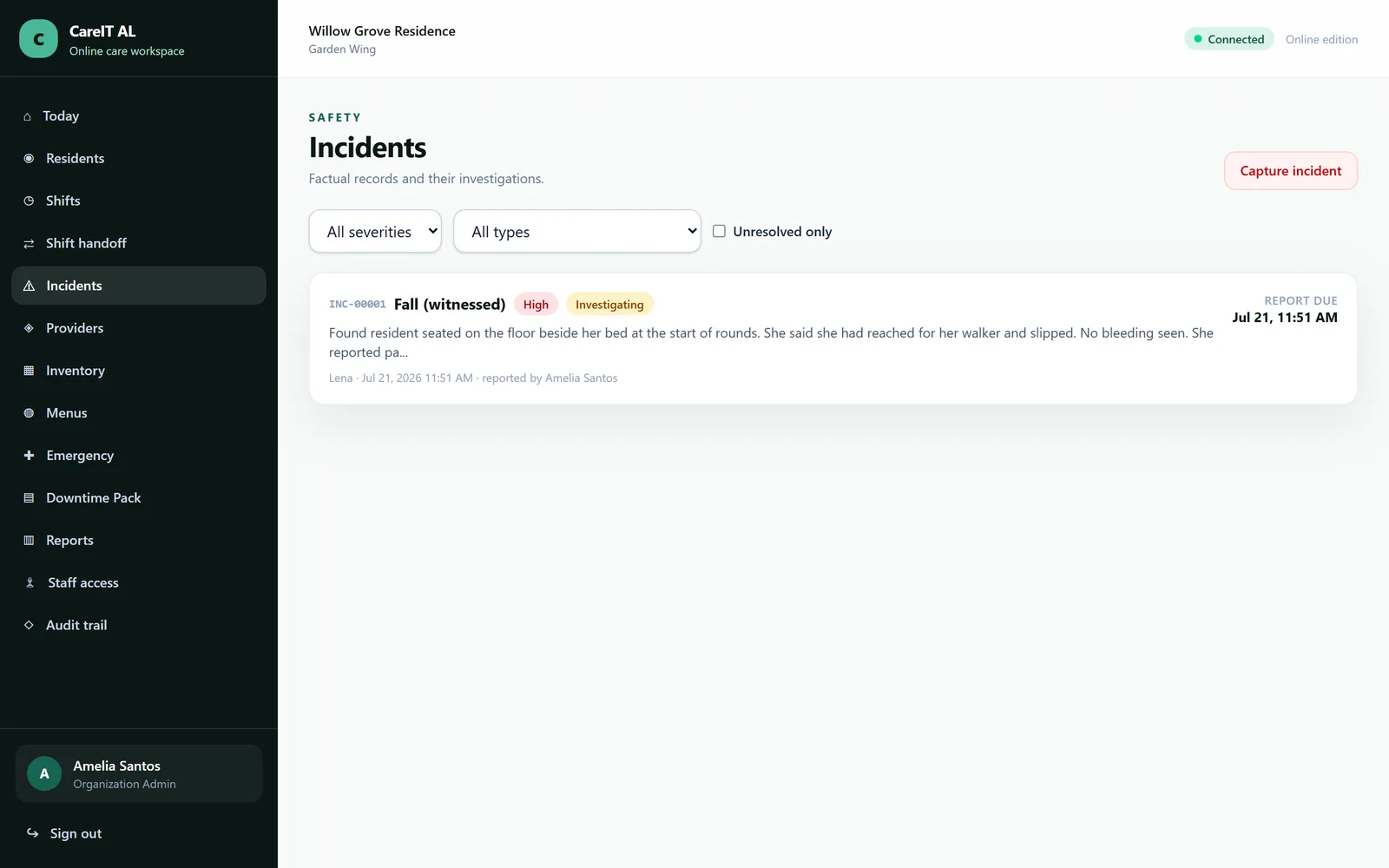
Incident register — Every incident, its severity, its reporting clock and whether the investigation is closed.

Incident register

Every incident, its severity, its reporting clock and whether the investigation is closed.

  • Statutory reporting countdown per incident
  • Filter by severity, type, resident and status
  • Nothing disappears from this list — closed is a state, not a delete
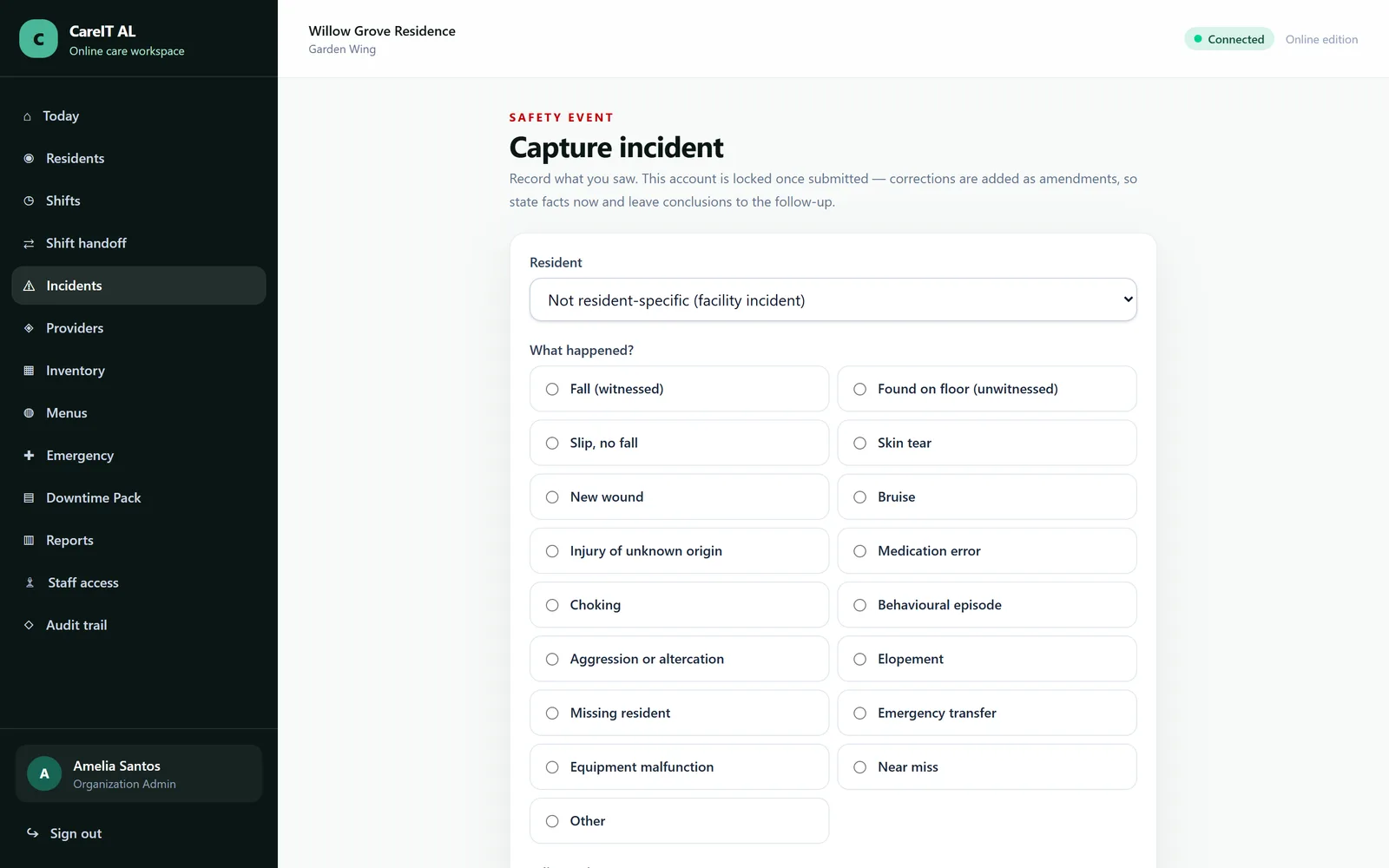
/incidents/create
Report an incident — Written at the scene, in the caregiver's words, without a conclusion being demanded up front.

Report an incident

Written at the scene, in the caregiver's words, without a conclusion being demanded up front.

  • Observation is captured separately from cause
  • Occurrence time is normalised from the facility timezone server-side
  • Filing a fall opens the post-fall observation protocol automatically
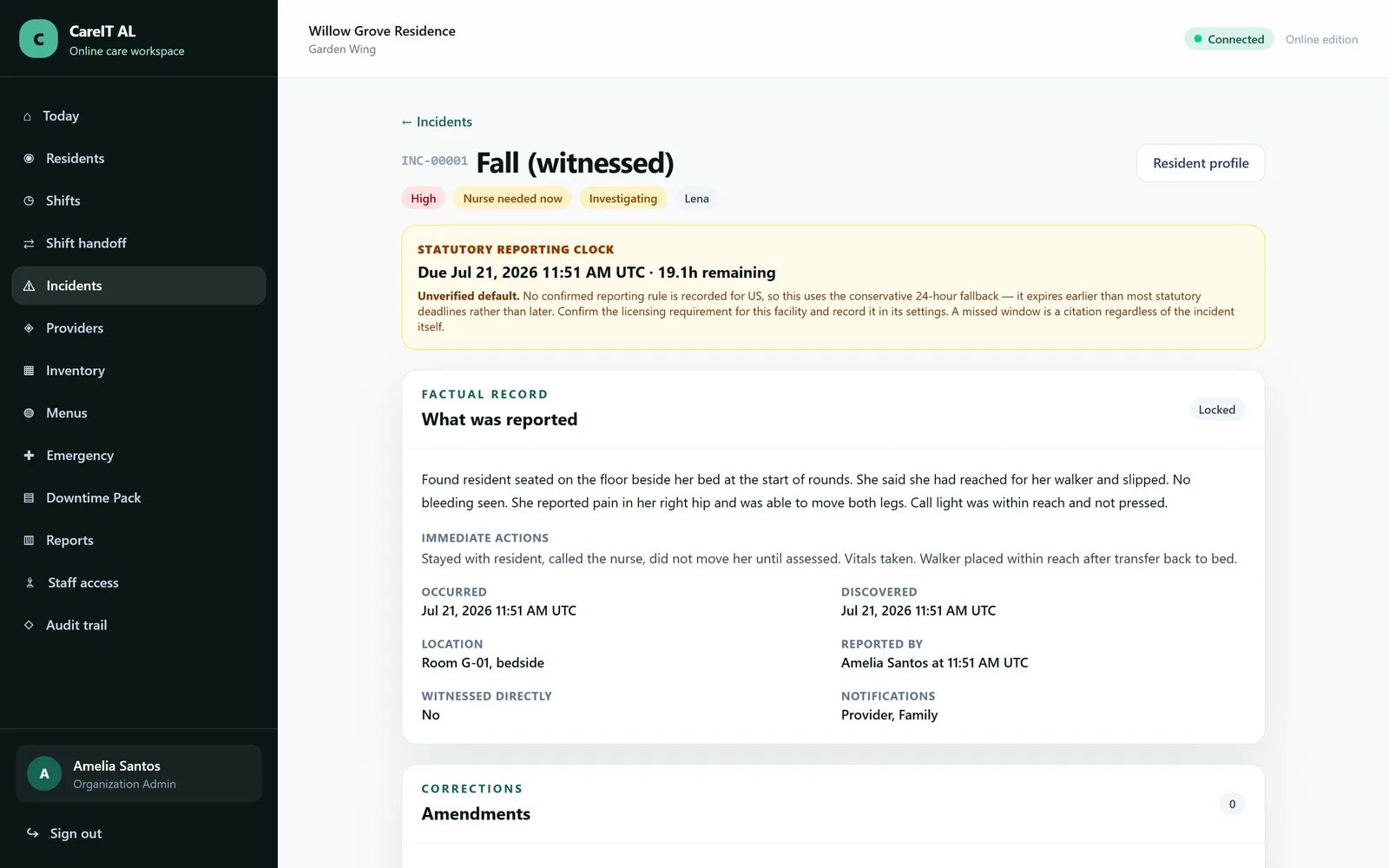
/incidents/{incident}
Incident detail and investigation — The full record: the original account, the post-fall checks, the investigation, and the reporting deadline.

Incident detail and investigation

The full record: the original account, the post-fall checks, the investigation, and the reporting deadline.

  • Post-fall neuro checks scheduled and chased by the system
  • Reporting window comes from the facility's recorded state rules
  • The screen states which source set the deadline
  • The original account is never edited — findings attach to it

Group 8 of 13

Diet and allergies

Structured allergies and IDDSI-coded diet orders that reach all the way through to what the kitchen plates up.

/residents/{resident}/dietary-profile
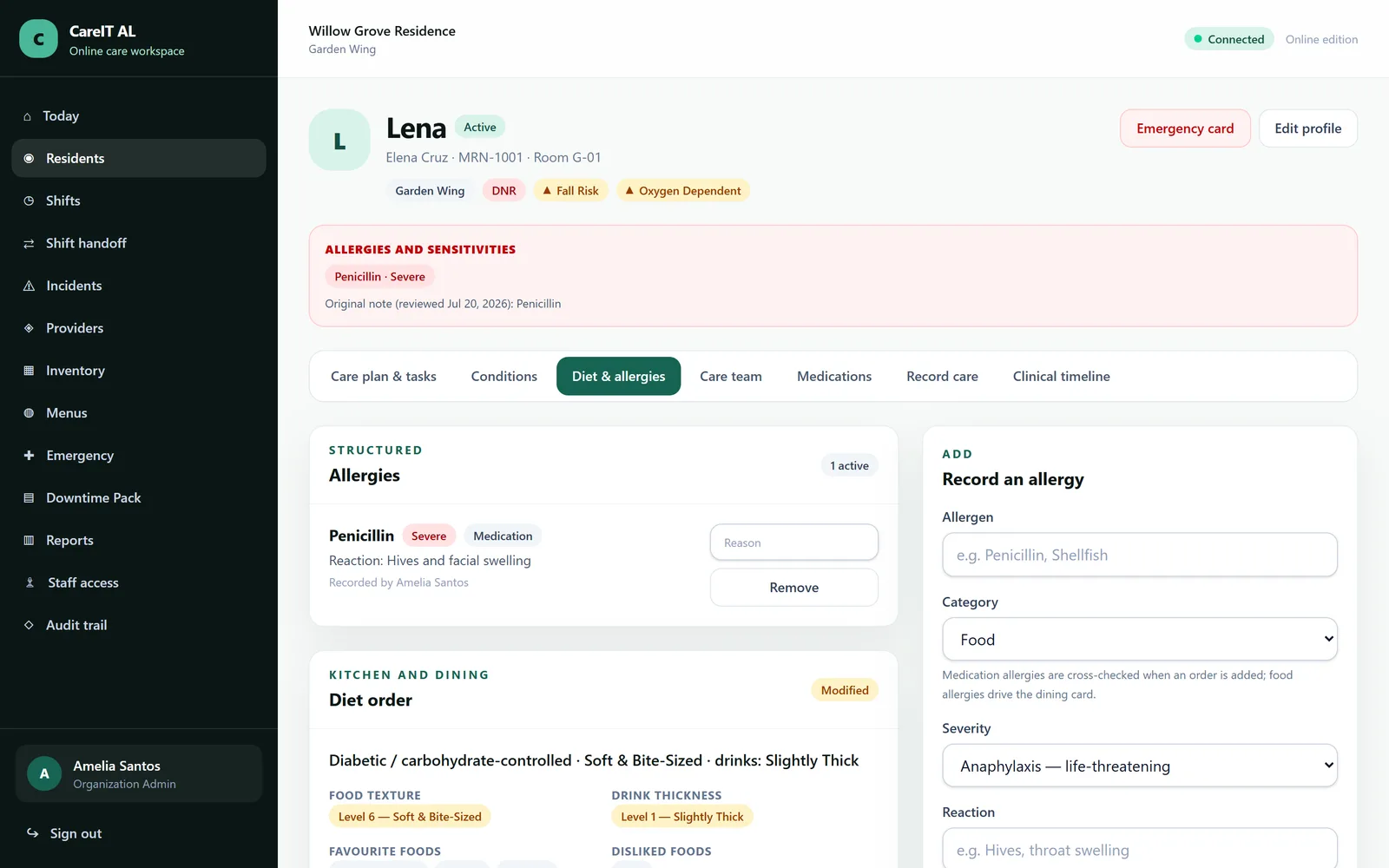
Dietary profile — Diet order, texture, drink thickness, preferences and structured allergies in one place.

Dietary profile

Diet order, texture, drink thickness, preferences and structured allergies in one place.

  • IDDSI food textures and drink thickness levels
  • Allergies are structured records, never parsed from free text
  • Allergy matching uses shared singularised words — shellfish never matches fish
  • A diet order beats a derived texture where the two disagree

Group 9 of 13

The wider care team

Hospice, outside providers and therapy — the people involved in a resident's care who do not work for you.

/residents/{resident}/hospice
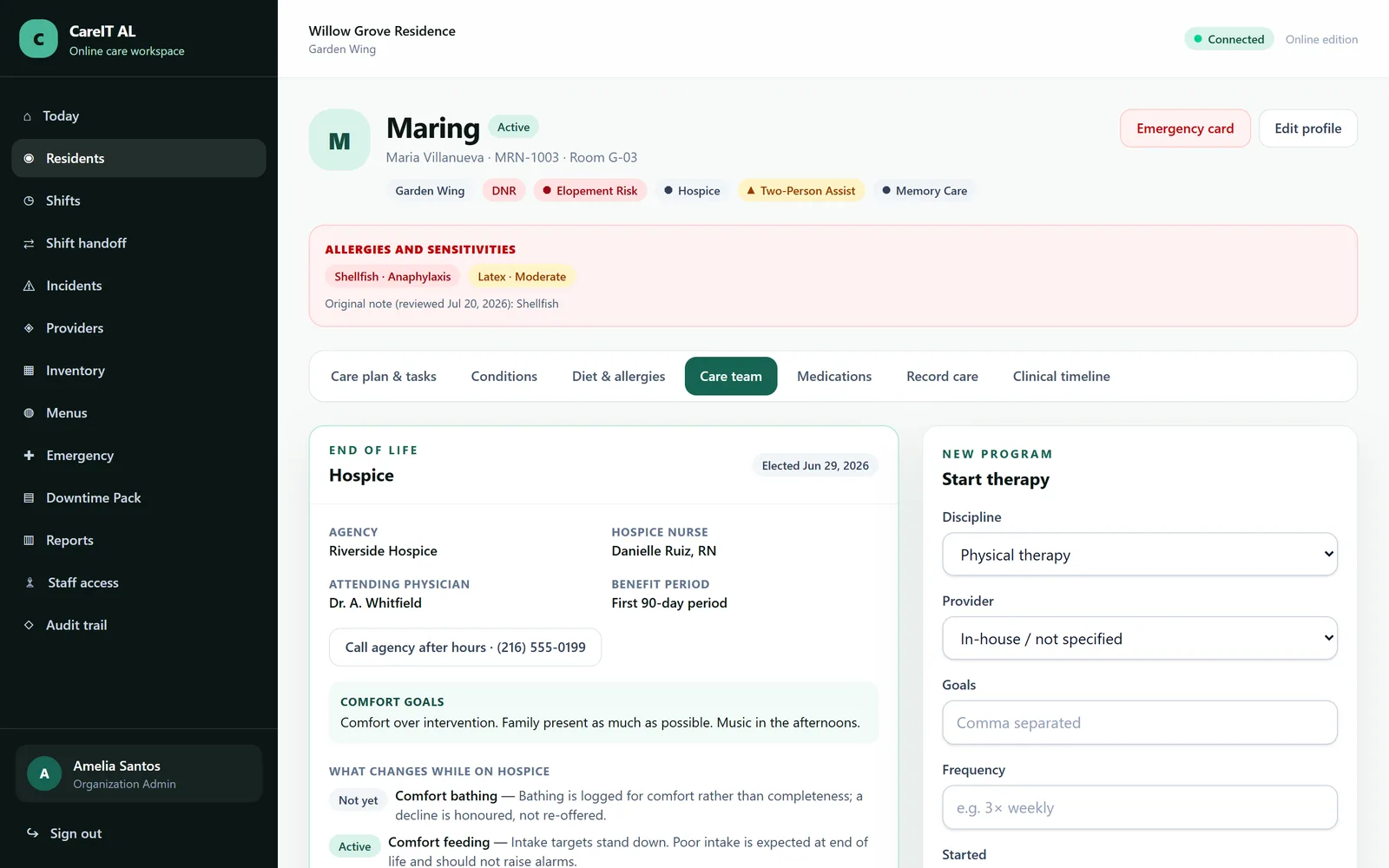
Hospice co-management — An active hospice enrolment, the agency, and the notes that pass between both teams.

Hospice co-management

An active hospice enrolment, the agency, and the notes that pass between both teams.

  • Hospice status is derived from the enrolment, never typed by hand
  • Co-management notes recorded against the enrolment
  • Revocation is a recorded event with its own date
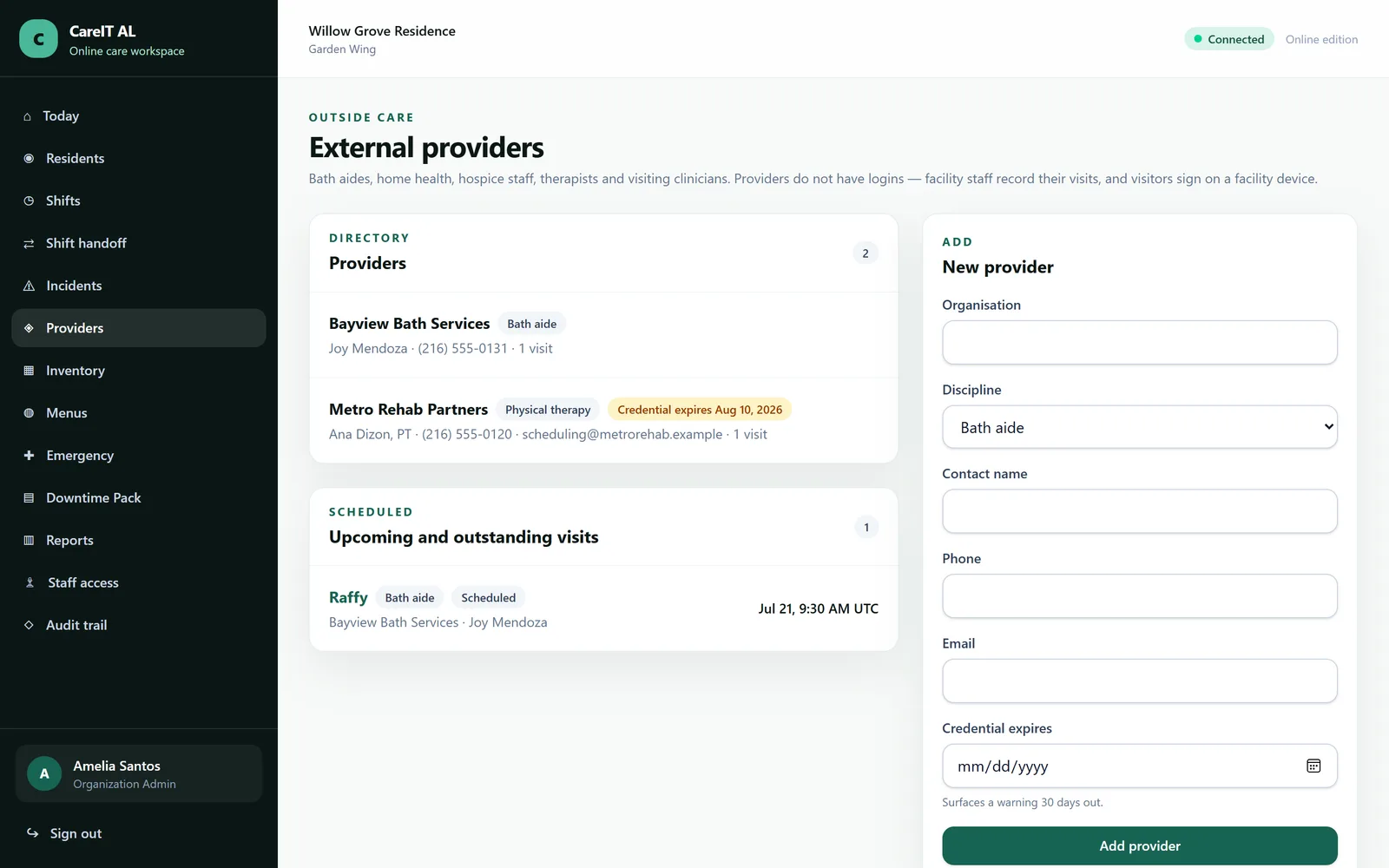
/providers
External providers and therapy — Physicians, podiatrists, therapists and agencies — tracked without giving any of them a login.

External providers and therapy

Physicians, podiatrists, therapists and agencies — tracked without giving any of them a login.

  • Provider visits recorded against the resident timeline
  • Therapy programmes with session-by-session attendance
  • Consecutive missed sessions are flagged, not silently tolerated

Group 10 of 13

Inventory

Self-contained supply tracking — incontinence supplies, gloves, nutrition, wound care — with stock derived from a movement ledger rather than typed into a box.

/inventory
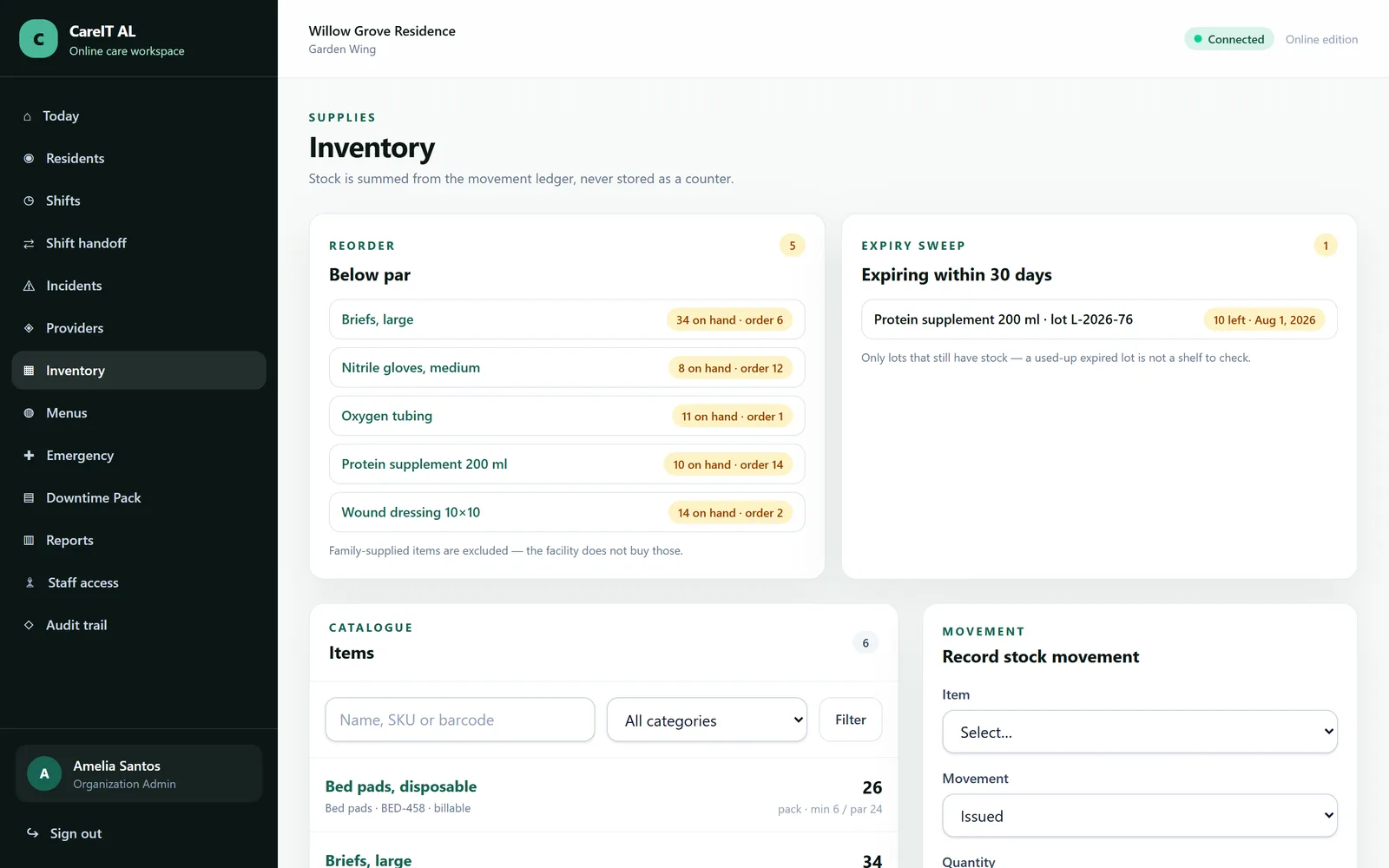
Stock on hand — What you have, what is below par, and what is about to expire.

Stock on hand

What you have, what is below par, and what is about to expire.

  • Stock is derived from the movement ledger, so it reconciles by construction
  • Par-level reordering excludes family-supplied items
  • Expiry sweep surfaces lots before they turn into waste
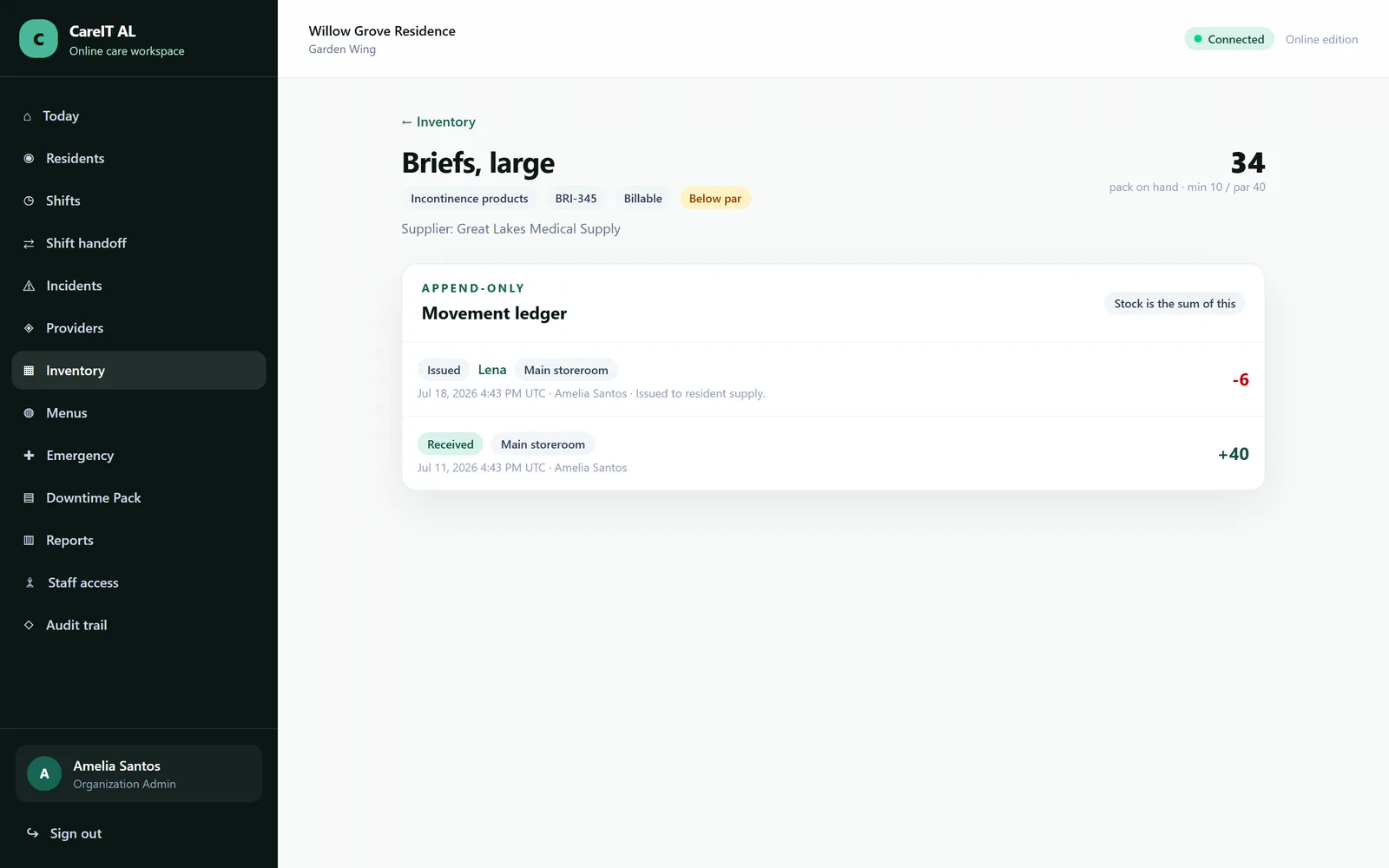
/inventory/{item}
Item and movements — Every receipt, issue, adjustment and wastage for one item, including who it went to.

Item and movements

Every receipt, issue, adjustment and wastage for one item, including who it went to.

  • Per-resident consumption where an item is charged to a person
  • Adjustments require a reason and are attributed
  • The ledger is append-only, like the clinical record

Group 11 of 13

Menus and the kitchen

Author the cycle once; the kitchen board works out who gets what texture, which substitution applies, and how many portions to cook.

/menus
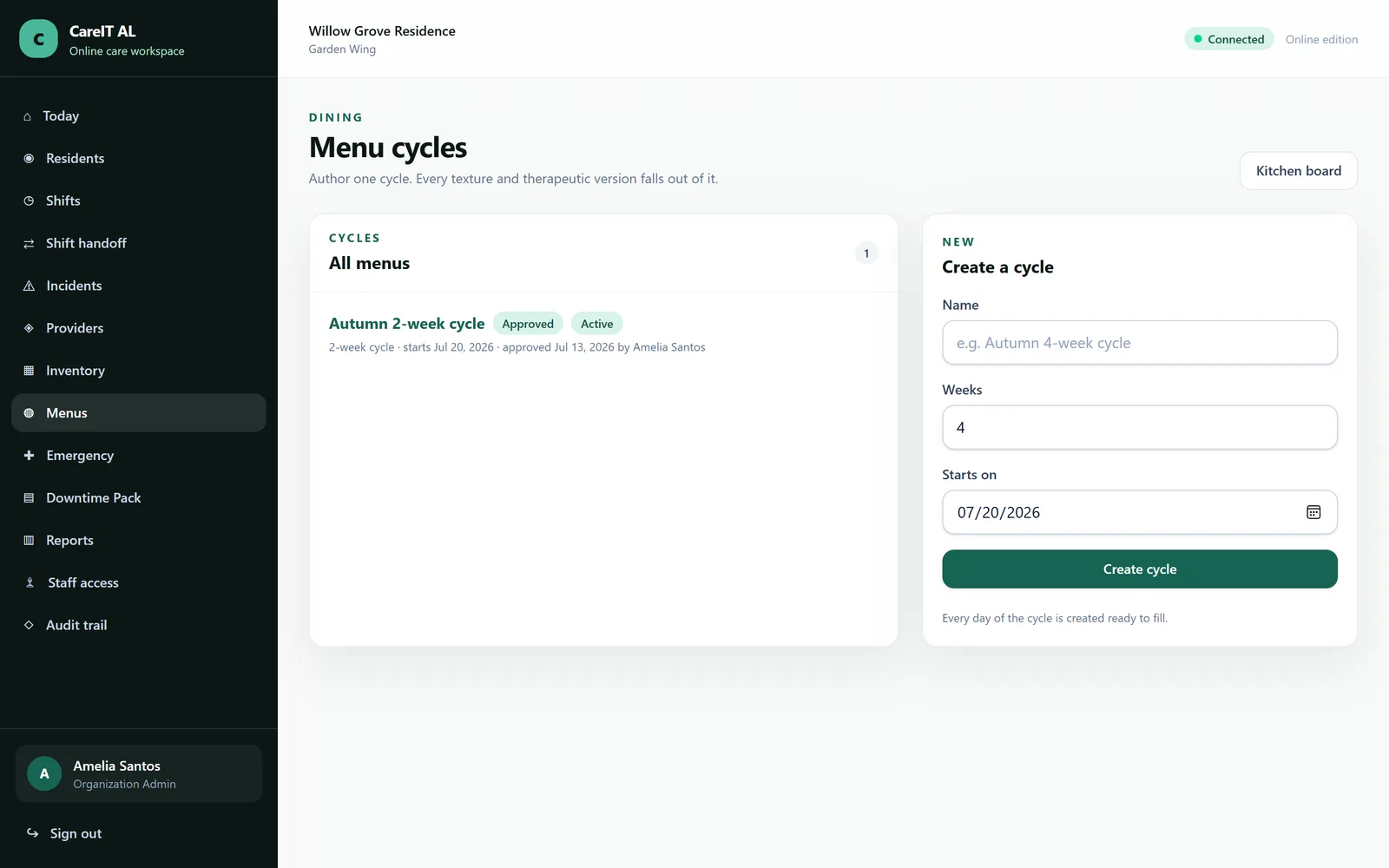
Menu cycles — A multi-week menu authored once, with variants derived per resident from their diet order.

Menu cycles

A multi-week menu authored once, with variants derived per resident from their diet order.

  • Textures derived from each resident's dietary profile
  • Dietitian approval is a gate on the cycle, recorded with a date
  • Substitutions are append-only — you can see what changed and why
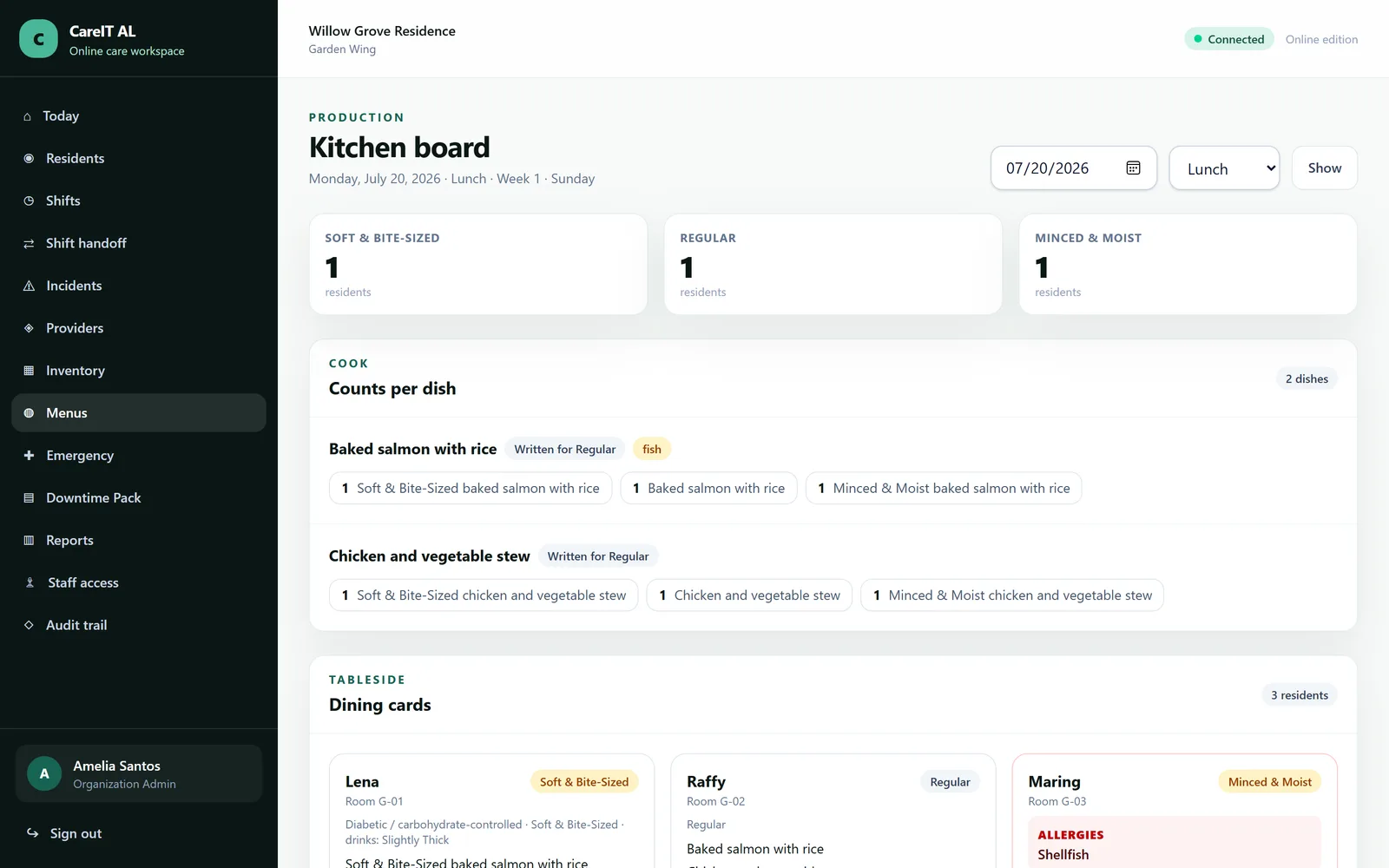
/menus/kitchen
Kitchen board — Today's service: the production tally to cook from, and dining cards for the floor.

Kitchen board

Today's service: the production tally to cook from, and dining cards for the floor.

  • Portion counts tallied by texture and thickness
  • Dining cards list allergies and preferences per seat
  • Service date follows the facility timezone, not the server's

Group 12 of 13

Reports, audit and downtime

What you hand a surveyor, an owner or a family — and what you fall back to when the internet is not there.

/reports
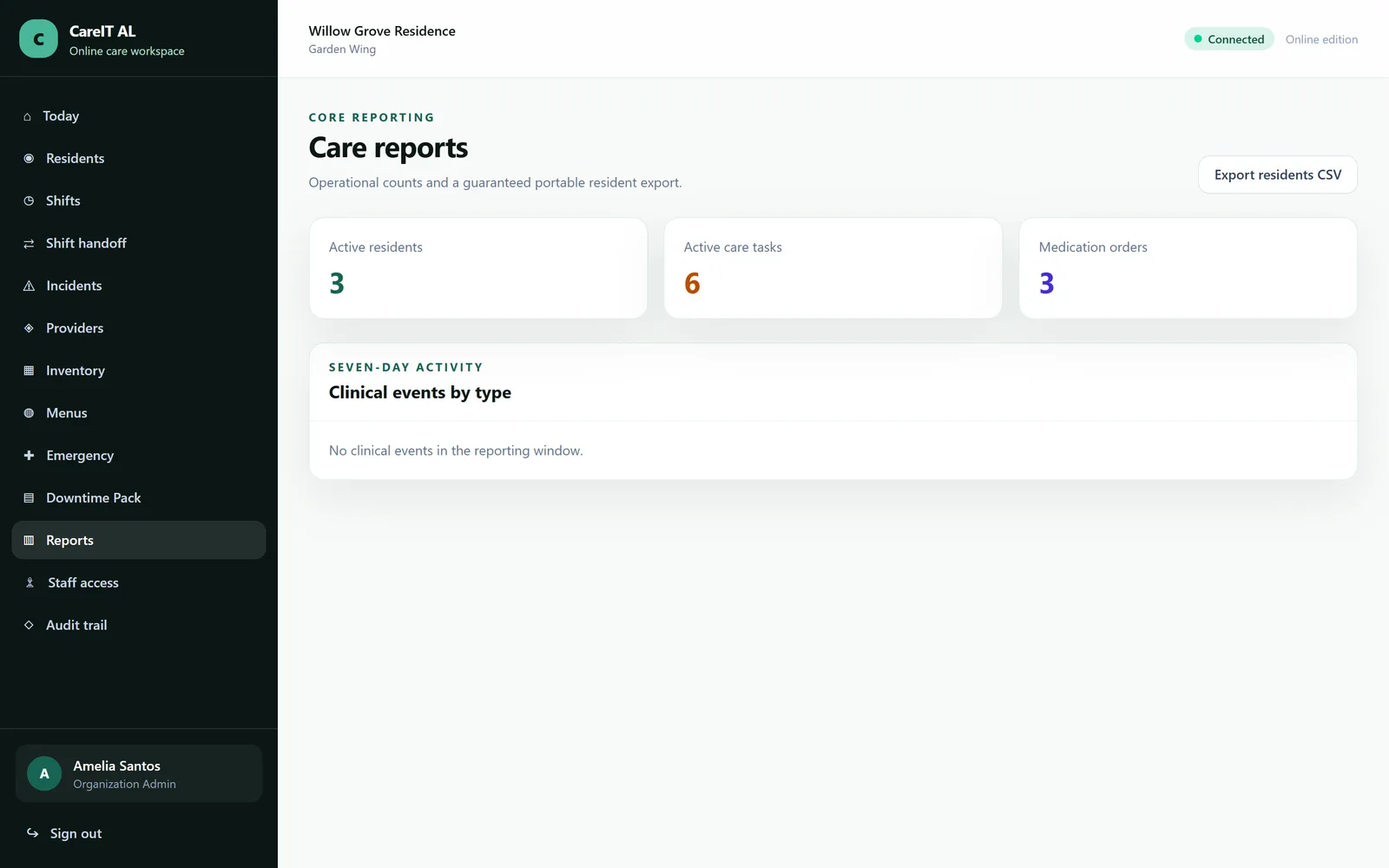
Reports and exports — The questions asked most often, answered without anyone building a spreadsheet.

Reports and exports

The questions asked most often, answered without anyone building a spreadsheet.

  • Resident CSV export, plus incident and medication reporting
  • Exports are generated from the live record, not a cached copy
  • Your data is exportable at any time, not only when leaving
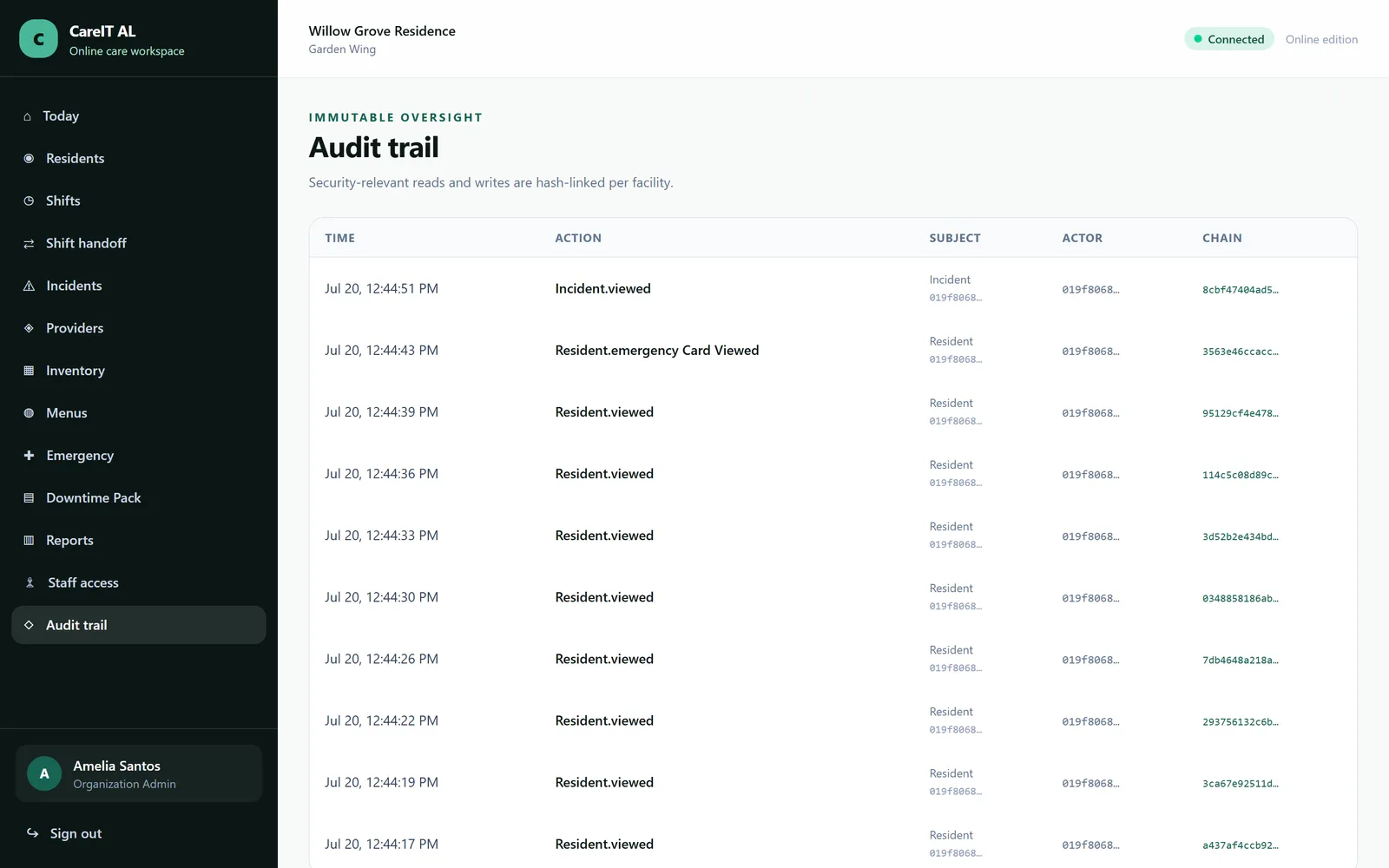
/audit
Audit trail — Who did what, when, from where — across every module, in one searchable place.

Audit trail

Who did what, when, from where — across every module, in one searchable place.

  • Hash-chained entries; tampering breaks the chain visibly
  • Covers reads of sensitive records, not just writes
  • Cannot be edited or cleared by any role, including administrators
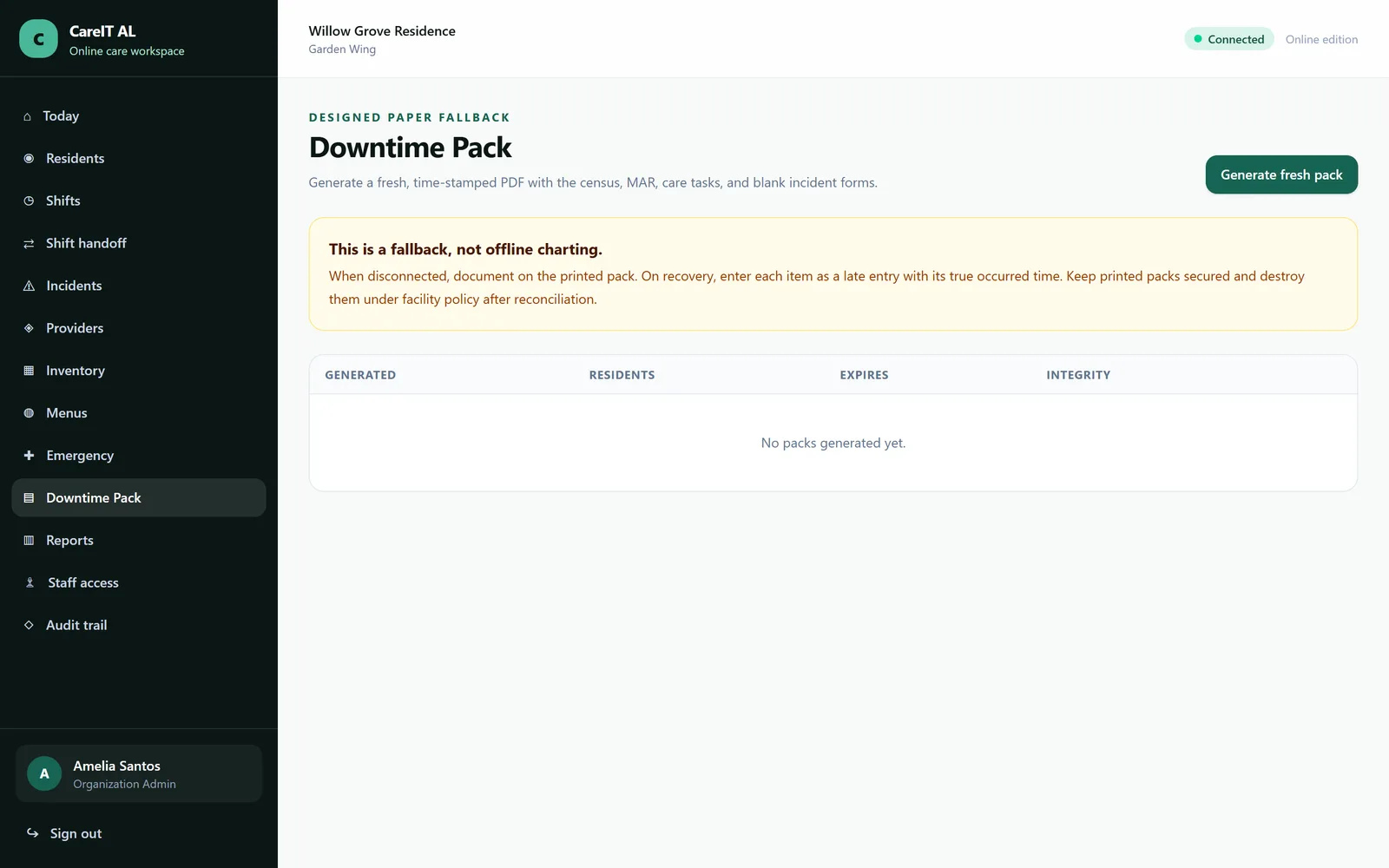
/downtime
Downtime Pack — A generated paper pack — MAR sheets, resident summaries, emergency cards — for when the network is down.

Downtime Pack

A generated paper pack — MAR sheets, resident summaries, emergency cards — for when the network is down.

  • Generated from live data, so the paper is current
  • Covers the medication pass, not just contact details
  • The product never claims offline charting — this is the honest alternative

Group 13 of 13

Administration

Accounts, roles and the facility settings that quietly decide whether the clinical record is correct.

/staff
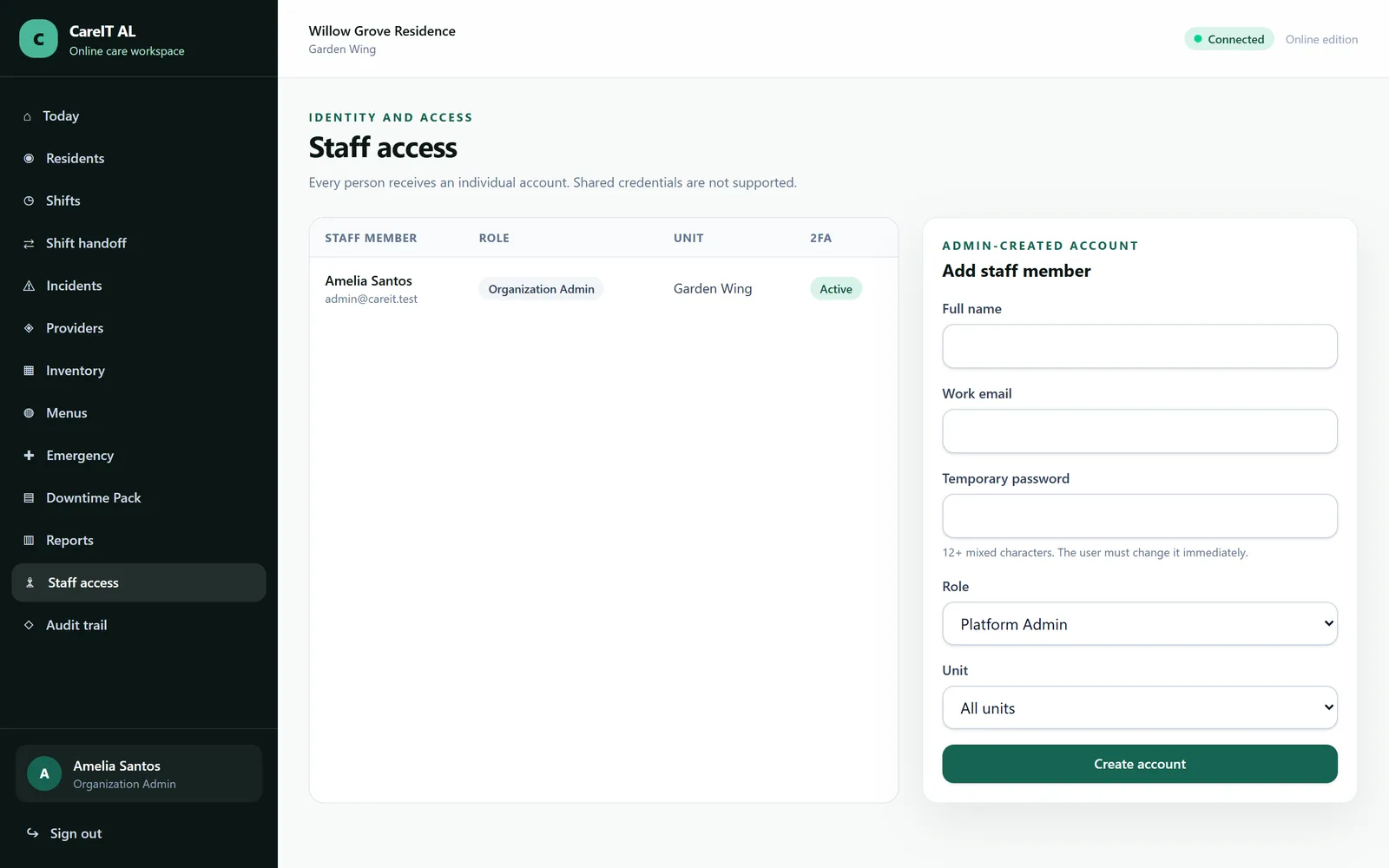
Staff and access — Accounts, roles, facility assignment and two-factor status for the whole team.

Staff and access

Accounts, roles, facility assignment and two-factor status for the whole team.

  • Role-based permissions down to the action
  • Facility assignment controls what a user can see at all
  • Deactivation preserves everything the person recorded
  • Unlimited staff accounts on every plan

Want to drive it yourself?

We will walk you through these screens on a live instance, with your own scenarios — a resident like one of yours, an incident like one you have had.